
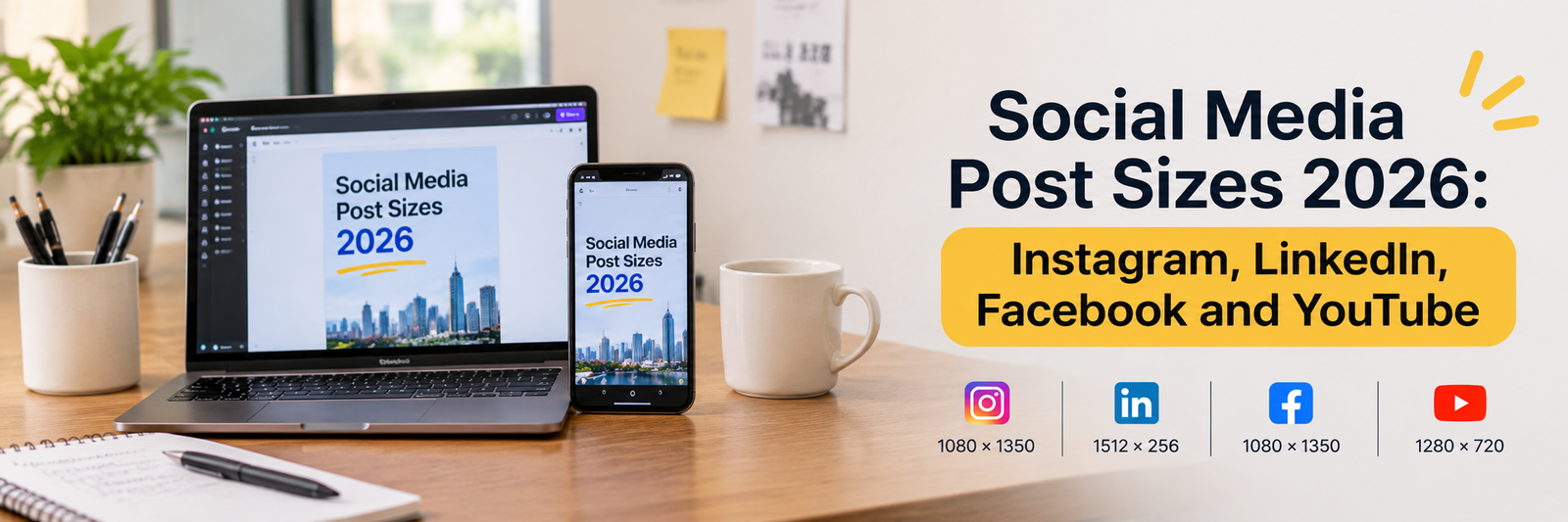
You spent two days on a launch creative. The copy is sharp, the colours are on brand, and the product shot looks stunning. Then it goes live and Instagram chops off your headline, LinkedIn squeezes your logo into a corner, and Facebook blurs the whole thing. Sound familiar? Getting the social media post size right is the cheapest fix in marketing, yet most brands still guess. In this guide, we cover the latest social media image sizes for 2026, from the new Instagram post size to the updated LinkedIn banner size, the ideal Facebook post size and every YouTube format you need. At Honeycomb, we design social media creatives for brands across IT, retail, manufacturing and healthcare every week, so this is the cheat sheet our own designers work from.
Why does social media post size matter so much?
Every platform crops, compresses or letterboxes images that do not match its specs. The result is cut-off text, fuzzy logos and wasted ad spend.
The right social media post size does three things for you:
- Protects your message. Headlines and CTAs stay visible on every screen.
- Wins more screen space. Taller formats take up more of the mobile feed, which means more attention.
- Keeps your brand looking premium. A blurry banner tells people you do not pay attention to detail.
In our experience, most “poor-performing” posts we audit are not bad ideas. They are good ideas in the wrong frame.
What is the right Instagram post size in 2026?
Instagram changed the game when it switched the profile grid from squares to tall 3:4 tiles. That shift changed how every Instagram post size should be planned.
| Format | Size (px) | Ratio |
| Portrait feed post (default) | 1080 x 1350 | 4:5 |
| Tall portrait (matches grid) | 1080 x 1440 | 3:4 |
| Square post | 1080 x 1080 | 1:1 |
| Landscape post | 1080 x 566 | 1.91:1 |
| Stories and Reels | 1080 x 1920 | 9:16 |
| Profile photo | 320 x 320 | 1:1 |
Our take: use 1080 x 1350 as your default feed size, because it works well for posts and ads. Use 1080 x 1440 when your profile grid is part of your brand story, such as a product launch or a curated look. Either way, keep faces, text and logos in the centre so they survive the grid crop.
For carousels, every slide takes the shape of the first one, so plan the whole set in one ratio.
What is the correct LinkedIn banner size?
The LinkedIn banner size depends on whether it sits on a personal profile or a company page.
| Asset | Size (px) | Notes |
| Personal profile banner | 1584 x 396 | 4:1, JPG or PNG |
| Company page cover | 1512 x 256 | Updated spec, under 3 MB |
| Company logo | 400 x 400 | Minimum 268 x 268 |
| Feed post (portrait) | 1080 x 1350 | 4:5 |
| Feed post (square) | 1080 x 1080 | 1:1 |
| Link or landscape image | 1200 x 627 | 1.91:1 |
Many older guides still list 1128 x 191 for company covers. If your company page banner looks stretched or soft, that is the likely reason.
Our take: your profile photo or logo covers the bottom left of the banner. Keep text in the centre or the right. For B2B brands, the LinkedIn banner size is prime real estate, so use it for one clear message, not five.
For posts, we push our B2B clients toward 1080 x 1350 portrait images and PDF document carousels. They take up more of the feed and get far more dwell time than a small landscape image.
What is the best Facebook post size?
The ideal Facebook post size today is portrait, just like Instagram. Since both live under Meta, one master file often works for both.
| Format | Size (px) | Ratio |
| Feed post (portrait) | 1080 x 1350 | 4:5 |
| Feed post (square) | 1080 x 1080 | 1:1 |
| Link preview image | 1200 x 630 | 1.91:1 |
| Cover photo | 851 x 315 | about 2.7:1 |
| Event cover | 1920 x 1005 | 1.91:1 |
| Stories and Reels | 1080 x 1920 | 9:16 |
Watch the cover photo. It shows at different sizes on desktop and mobile. Keep key content inside a central safe zone of roughly 640 x 312 pixels.
What sizes does YouTube need?
YouTube is a search engine as much as a social platform, and your thumbnail decides the click.
| Asset | Size (px) | Ratio |
| Video thumbnail | 1280 x 720 | 16:9 |
| Channel banner | 2560 x 1440 | 16:9 |
| Standard video | 1920 x 1080 | 16:9 |
| Shorts | 1080 x 1920 | 9:16 |
| Profile photo | 800 x 800 | 1:1 |
The channel banner gets heavily cropped on mobile, so keep your logo and tagline in the centre strip. For thumbnails, we follow a simple rule: one face or product, no more than four words, and high contrast that reads at phone size.
How can you manage social media image sizes without the chaos?
Here is the workflow our design team at Honeycomb uses:
- Start with a master file. Design the 1080 x 1350 portrait first. It covers Instagram, Facebook and LinkedIn feeds.
- Build vertical next. Adapt to 1080 x 1920 for Stories, Reels and Shorts.
- Design inside safe zones. Keep text away from the edges and the top and bottom of vertical formats.
- Export smart. Use PNG for text-heavy graphics and high-quality JPG for photos.
- Preview on a phone. Always check on a real screen before posting.
This one habit saves hours of resizing and keeps your social media image sizes consistent across every channel.
Right Size, Right Story, Right Results
Great creative deserves to be seen in full. When you get the social media post size right, your message lands the way you planned it. Use 1080 x 1350 as your go-to Instagram post size and Facebook post size, update your LinkedIn banner size to the latest spec, and keep a cheat sheet of social media image sizes handy for YouTube and vertical video. Better still, let experts handle it. Honeycomb has 18+ years of experience creating platform-ready social media creatives, campaigns and brand content for 200+ clients. Get in touch with Honeycomb and let us make every post scroll-stopping, crop-proof and on brand.
Frequently Asked Questions
What is the best social media post size for all platforms?
1080 x 1350 pixels (4:5) works across Instagram, Facebook and LinkedIn feeds. Pair it with 1080 x 1920 for vertical video.
Is the Instagram post size still 1080 x 1080?
Square still works, but portrait (1080 x 1350) or tall portrait (1080 x 1440) gets more feed space and suits the new grid.
What is the LinkedIn banner size for company pages?
LinkedIn now lists 1512 x 256 pixels for company page covers. Personal profile banners stay at 1584 x 396.
What Facebook post size gets the most visibility?
Portrait images at 1080 x 1350 pixels take up more of the mobile feed than square or landscape posts.
What size should a YouTube thumbnail be?
1280 x 720 pixels at a 16:9 ratio, with bold text and high contrast.
How often do social media image sizes change?
Platforms update specs every year or so. Check your sizes at least twice a year.
Can Honeycomb create social media creatives in all formats?
Yes. Honeycomb designs platform-ready posts, banners, Reels and campaign creatives for every major social platform.