A client once told us their new app “looked incredible”, but nobody was completing the signup form. The colours were on brand, the icons were custom, the typography was carefully chosen. And yet, conversions had dropped since the redesign. The GUI had improved. The UI had quietly gotten worse. Nobody had noticed the difference until the numbers made it impossible to ignore.
This mix-up happens more often than most business owners realise, and it rarely gets caught early, because “GUI” (Graphical User Interface) and “UI” (User Interface) get used interchangeably in casual conversation. They are not the same thing, and confusing them is one of the more expensive mistakes a growing business can make before hiring a UI UX Design Agency in Bangalore.
Why Business Owners Confuse GUI and UI
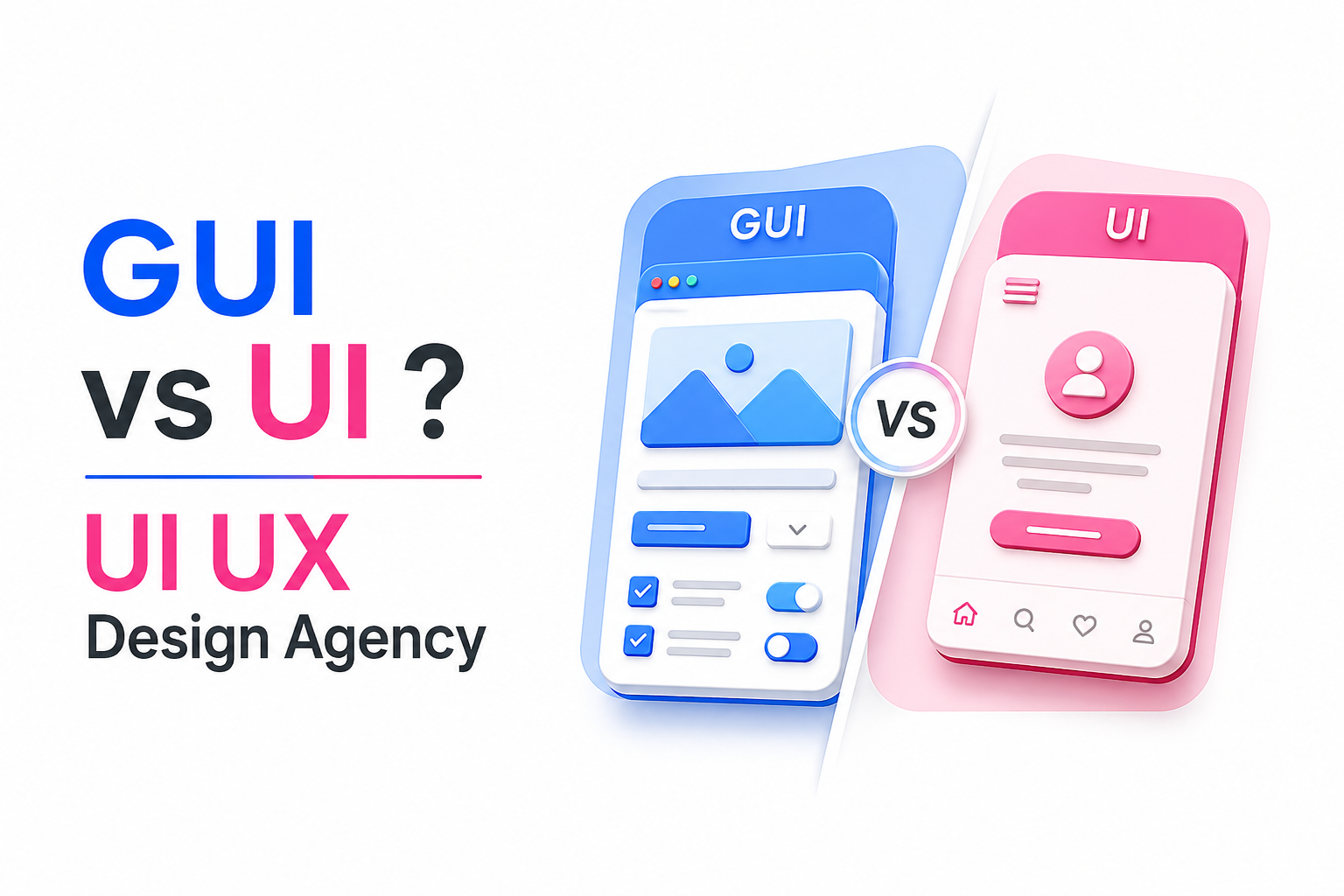
Here is the misconception we hear most often: “A good-looking interface automatically means a great user experience.” It is an understandable assumption. Visuals are the part everyone can see and judge instantly, so it is natural to equate a polished look with a working product. But GUI and UI answer two completely different questions. GUI asks, “Does this look good?” UI asks, “Does this work well, and does it get the user where they need to go without friction?”
A beautiful interface with a confusing checkout flow is still a broken product. A plain-looking interface that gets a user through a task in three clicks instead of eight is doing its job, even if it never wins a design award.
GUI vs UI, Explained Without the Jargon
Think of it like a restaurant menu versus the actual dining experience. The menu can be beautifully designed, with elegant fonts, tasteful photography, and a clean layout. That is the GUI. But the dining experience includes whether the waiter understood your order, how long the food took, and whether the table was even clean when you sat down. That is the UI, the entire journey, including everything that happens away from what looks pretty on the surface.
A restaurant with a gorgeous menu and a broken ordering process will still lose customers. A website with a stunning homepage and a confusing checkout will lose them just as fast.
Where GUI Ends, and UX Begins
This is where a lot of articles get muddled, so here is the simplest way to think about it. GUI is the surface, the buttons, colours, icons, and layout that a user actually sees. UX is the entire experience of using the product, including things a user never consciously notices, like page load speed, how intuitive the navigation feels, or whether a form asks for information in a logical order. UI sits in between; it is the interactive layer where GUI and UX actually meet, where visual choices either support or undermine the underlying experience.
You can think of it this way: GUI (Graphical User Interface) is what you see, UX is how it feels, and UI is where the two either work together or work against each other.
Real Examples Everyone Already Knows
Look at apps like Swiggy or Zomato. Both use fairly similar visual languages, cards, bright accent colours, and familiar iconography. The difference in experience comes down to UI decisions: how quickly you can reorder a previous meal, how clearly delivery time is communicated, and how few taps stand between opening the app and placing an order. The GUI gets you to open the app. The UI decides whether you keep using it.
Common GUI Mistakes That Quietly Hurt Trust
A few visual mistakes consistently appear: inconsistent button styles across pages, low-contrast text that strains the eye, and touch targets that are too small on mobile, even when they appear fine in a desktop preview. None of these feels dramatic individually, but together they signal a lack of attention to detail, and users read that signal as a lack of trustworthiness, even if they cannot articulate why.
UI Mistakes That Actually Cost Conversions
The GUI issues above hurt perception. These hurt the bottom line directly: long forms that ask for information before establishing any value, weak call-to-action buttons that blend into the page instead of standing out, and mobile layouts that were clearly designed for desktop first and adapted as an afterthought. Fix these, and conversion rates tend to move more than any visual refresh alone would achieve.
An Uncomfortable Truth: Most UI Problems Are Content Problems
Here is an opinion worth sitting with, one that many designers push back on: most UI problems are actually content problems wearing a design costume. A confusing form is often confusing because of unclear labels, not layout. A weak call-to-action underperforms because the words on it are vague, not because the button colour is wrong. Before redesigning an interface, it is worth asking whether the actual content is doing its job. Sometimes the fix is a sentence, not a redesign.
What Separates a Real UI Agency From a Graphic Design Studio
A graphic design studio makes things look good. A proper UI and UX practice does that too, but only after research, user flow mapping, wireframing, and testing come first. That process is what separates an agency that can explain why a button is placed where it is from one that placed it there because it looked balanced on the screen.
How AI Is Changing This Work in 2026
AI tools can now generate layout options and speed up component creation faster than ever. What AI still cannot do is replace strategic thinking, empathise with an actual user’s frustration, or make sound information architecture decisions based on business goals. The tools have gotten faster. The judgment behind using them well still has to be human.
How to Choose a UI UX Design Agency in Bangalore
Ask about their research process before you ask to see their portfolio. Ask how they test decisions, not just how they justify them after the fact. And ask whether they can support development as well, since a design that never survives the build process accurately is of little use to anyone.
A Word on Honeycomb
Honeycomb works as a UI UX Design Agency in Bangalore alongside branding, UX research, content writing, and development, which means interface decisions are grounded in strategy and tested against real user behaviour, not just visual instinct. At Honeycomb, we believe great UI is the part of an interface nobody notices, because it never got in their way.
The Real Question to Ask Before Your Next Redesign
Before approving another visual refresh, ask a harder question: Is this actually a design problem, or is it a content, structure, or strategy problem hiding behind a design request? Get that answer right, and the visual work that follows finally has a real job to do.
FAQs
1. What is the difference between GUI and UI?
GUI refers to the visual layer of a product, including colours, icons, and layout. UI is broader, covering how a user actually interacts with and moves through the product, including whether that interaction works smoothly.
2. Can a website have a great GUI but a poor UI?
Yes, and it happens often. A visually polished interface can still frustrate users if navigation is confusing, forms are too long, or key actions are hard to find.
3. Is UX the same as UI?
No. UX covers the entire user experience, including things beyond the visible interface, like load speed and overall journey. UI is the interactive layer where that experience actually gets delivered.
4. How do I know if my website needs a UI redesign or just a content fix?
If users understand what to do but the process feels slow or unclear, it may be a content or structure issue. If users get confused about what to do at all, that points to a genuine UI problem.
5. What should I look for in a UI UX design agency in Bangalore?
Look for a documented research and testing process, not just a strong visual portfolio. An agency that can also support content and development tends to deliver more consistent results.
6. How is AI changing UI UX design in 2026?
AI speeds up layout generation and component design work, but strategic decisions around user experience and information architecture still require human judgment and testing.