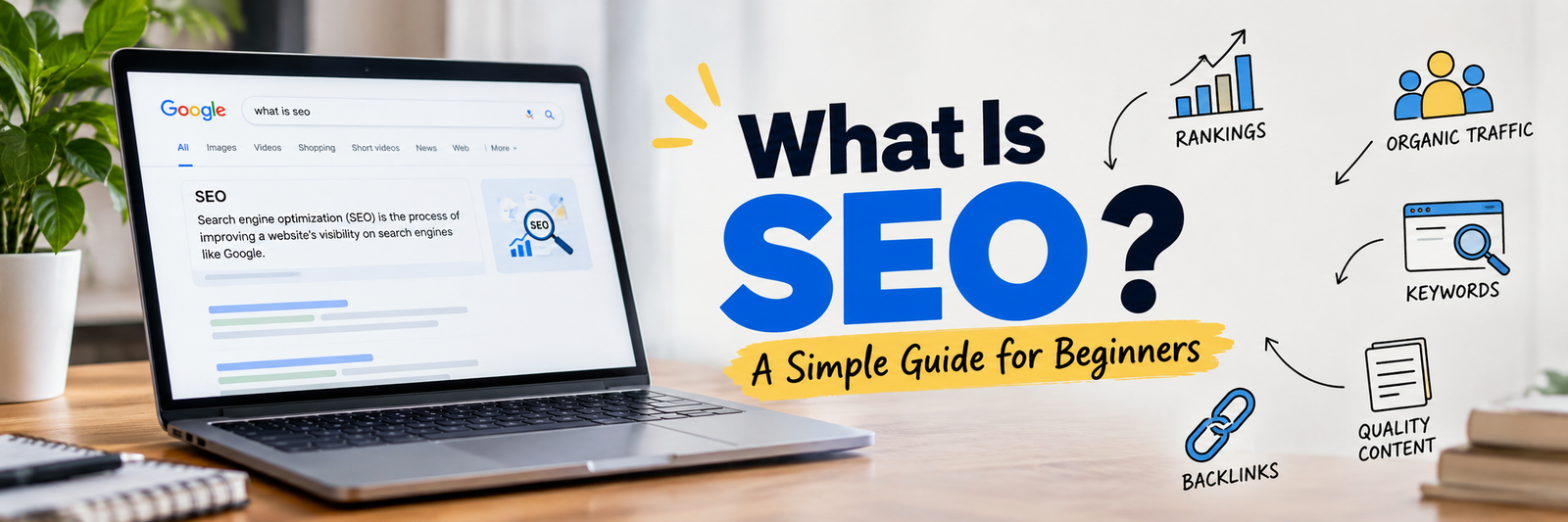
Introduction: Why You Should Read This
Everything you need to know about SEO, explained in simple language, with real examples.
If you have just joined a digital marketing team, you have probably heard words like “keywords”, “backlinks”, “crawling”, “SERP” and “indexing” in the first week. Everyone seems to use them like you already know what they mean.
Don’t worry. Nobody is born knowing SEO. This guide explains every important part of SEO from zero, in plain words. By the end, you will understand what SEO is, how it works, the different types of SEO, and what a day of SEO work actually looks like.
1. What Is SEO?
SEO stands for Search Engine Optimization.
It is the work of improving a website so that search engines like Google and Bing can understand it, trust it, and show it to people when they search for something related.
Let’s break the three words down:
- Search Engine: Google, Bing, Yahoo, DuckDuckGo, and also YouTube search or Amazon search.
- Optimization: Making something better and more suitable.
- SEO: Making your website better so search engines show it higher in the results.
A Simple Example
Imagine a big library with millions of books. A visitor walks in and asks the librarian, “Which book teaches me how to start a company in Dubai?”
The librarian will not recommend every book. They will recommend the few books that are the most relevant, the most useful, and the most trustworthy.
Google is the librarian. Your website is one of the books. SEO is everything you do to make sure the librarian picks your book first.
What SEO Is Not
- SEO is not paid advertising. When you pay Google to show your ad, that is called SEM or PPC. SEO results are called “organic” because you do not pay for each click.
- SEO is not a trick to fool Google. Modern SEO is about helping real people and making your site easy for search engines to understand.
- SEO is not instant. It usually takes weeks to months to see results.
2. Why Does SEO Matter?
When people want something, they search for it. They search for a service, a product, a doctor, a recipe, a company, or an answer.
Here is why SEO is valuable for a business:
- Free, steady traffic. Once a page ranks well, it can bring visitors every day without paying for each click.
- High-intent visitors. People who search “company formation services in Dubai” are already looking to buy. They are warm leads.
- Trust and credibility. People trust sites that appear on the first page more than sites they have never heard of.
- Long-term value. A good article can bring traffic for years.
- Better return over time. Ads stop the moment you stop paying. SEO keeps working.
- Helps every other channel. Better content and a better website also help social media, email, and ads.
3. How Search Engines Work (The Basics)
Before you can do SEO, you must understand what Google does behind the scenes. It happens in three steps.
Step 1: Crawling (Discovering)
Google uses small programs called crawlers (also called bots or spiders). Googlebot is Google’s crawler. These bots travel from link to link across the internet and discover pages.
Think of a bot as a visitor who moves from one room of a building to another by following the doors. The doors are links.
If a page has no links pointing to it and is not in your sitemap, the bot may never find it.
Step 2: Indexing (Storing)
After finding a page, Google reads it and tries to understand it: what is it about, what language is it in, what images are on it, is it a duplicate of another page?
If Google thinks the page is useful, it saves it in a giant database called the index.
Important: If your page is not in the index, it cannot appear in search results at all.
Step 3: Ranking (Showing)
When someone types a search, Google looks into its index and picks the pages it believes are the best answer. It then orders them from best to worst. This order is called ranking.
Google uses hundreds of signals to decide, including:
- How relevant the content is to the search
- How good and helpful the content is
- How trustworthy the website is (links, reputation, authors)
- How fast and mobile-friendly the page is
- The user’s location, language, and device
- How safe and secure the website is
Remember the three words: Crawl, Index, Rank. Almost every SEO task helps one of these three steps.
4. Important SEO Terms Every Junior Must Know
Here is a quick dictionary. Come back to this section whenever you meet a new word.
| Term | Easy Meaning |
|---|---|
| SERP | Search Engine Results Page. The page you see after you search. |
| Keyword | The word or phrase a person types into a search engine. |
| Organic traffic | Visitors who come from unpaid search results. |
| Impressions | How many times your page appeared in search results. |
| Click-through rate (CTR) | Clicks divided by impressions. Shows how many people who saw your result actually clicked. |
| Backlink | A link from another website to yours. Like a vote of trust. |
| Anchor text | The clickable words of a link. |
| Domain Authority (DA) / Domain Rating (DR) | A score from tools like Moz or Ahrefs that estimates how strong a website is. Not a Google metric. |
| Meta title | The blue clickable headline shown in search results. |
| Meta description | The short summary shown under the title in search results. |
| URL slug | The last part of a page address, like /seo-guide. |
| Sitemap | A file that lists all important pages of your site for search engines. |
| Robots.txt | A file that tells crawlers which parts of the site they may or may not visit. |
| Canonical tag | A tag that tells Google which version of similar pages is the main one. |
| Redirect (301) | Sends visitors and bots from an old URL to a new one permanently. |
| 404 error | The page was not found. |
| Bounce rate | Visitors who leave after seeing only one page. |
| Search intent | The real reason behind a search. What the person actually wants. |
| Schema markup | Extra code that helps search engines understand your content better. |
| Core Web Vitals | Google’s measurements of page speed, responsiveness, and visual stability. |
| Algorithm update | A change Google makes to how it ranks pages. |
| Thin content | A page with very little useful information. |
| Duplicate content | The same or very similar content on more than one page. |
| Crawl budget | The number of pages Google is willing to crawl on your site in a given time. |
5. Search Intent: The Most Important Idea in SEO
Before you write or optimize anything, ask: “What does the person really want when they type this?”
There are four main types of search intent:
- Informational: The person wants to learn something. Examples: “what is SEO”, “how to register a company in UAE”.
- Navigational: The person wants to go to a specific website. Examples: “facebook login”, “Ahrefs pricing page”.
- Commercial investigation: The person is comparing options before buying. Examples: “best SEO tools”, “mainland vs free zone company”.
- Transactional: The person is ready to take action or buy. Examples: “buy running shoes online”, “hire SEO agency in Dubai”.
Why Intent Matters
If someone searches “how to make tea” and you show them a page selling tea bags, Google will not rank your page well, because it does not match what the user wants. Always match your page type to the intent:
- Informational search: blog post or guide
- Commercial search: comparison page or review
- Transactional search: product or service page
A lot of beginner mistakes come from ignoring intent.
6. The Main Types of SEO
SEO is not one single task. It is a group of areas that work together. Think of SEO as a house:
- Technical SEO is the foundation and the walls.
- On-page SEO is the interior: rooms, furniture, and decoration.
- Off-page SEO is the reputation of the house in the neighborhood.
- Content is the reason people want to visit in the first place.
Let’s study each one.
6.1 On-Page SEO
On-page SEO means everything you do inside a web page to help it rank.
This is the part you control completely. The main elements are:
- Title tag: Include the main keyword near the beginning. Keep it around 50 to 60 characters so it does not get cut off.
- Meta description: Write a clear, attractive summary of about 150 to 160 characters. It does not directly raise rankings, but a good one gets more clicks.
- Headings (H1, H2, H3): Use one H1 for the main title. Use H2 and H3 for sections and sub-sections. This makes the page easy to scan and easy for Google to understand.
- URL: Keep it short, clean, and readable. Example:
/company-formation-uaeis better than/page?id=4582&cat=3. - Keyword usage: Use your main keyword in the title, the H1, the first paragraph, and naturally in the body. Add related words and synonyms. Never stuff the same keyword again and again.
- Content quality: Answer the question fully, clearly, and better than the pages already ranking.
- Images: Compress them, give them useful file names, and add alt text that describes the image.
- Internal links: Link to other relevant pages on your own site using clear anchor text.
- External links: Link to trusted sources when it helps the reader.
- Readability: Short paragraphs, simple words, bullet points, and clear formatting.
- Call to action (CTA): Tell the reader what to do next.
Quick on-page checklist for any page:
- Does it have one clear target keyword?
- Is the keyword in the title, H1, and URL?
- Is the meta description written to earn a click?
- Do headings follow a logical structure?
- Are images compressed and do they have alt text?
- Are there at least a few internal links?
- Does the content fully satisfy the search intent?
6.2 Off-Page SEO
Off-page SEO means everything you do outside your website that builds its reputation and trust.
The biggest part of off-page SEO is backlinks. When a respected website links to you, Google sees it as a vote of confidence. But not all links are equal.
A good backlink is:
- From a website related to your topic
- From a trusted, real website with real visitors
- Placed naturally inside useful content
- Earned or given for a good reason
A bad backlink is:
- From spammy, low-quality, or irrelevant websites
- Bought in bulk
- Created automatically by software
Common off-page activities:
- Link building: Guest posting, digital PR, resource pages, broken link building, and creating content that others want to link to.
- Brand mentions: People talking about your brand online, even without a link.
- Online reviews and listings: Google reviews, business directories, and industry platforms.
- Social media and community presence: Not a direct ranking factor, but it spreads your content and builds brand awareness.
- Digital PR: Getting featured in news and industry publications.
Key lesson: Quality beats quantity. Five strong, relevant links are worth more than five hundred weak ones.
6.3 Technical SEO
Technical SEO means making sure search engines can easily crawl, understand, and index your website.
Even the best content will not rank if the technical side is broken. Main areas:
- Site speed: Slow pages frustrate users and hurt rankings. Compress images, reduce heavy scripts, and use good hosting and caching.
- Mobile-friendliness: Google mainly uses the mobile version of your site to rank it. Your site must work well on phones.
- HTTPS: The site must be secure (the padlock in the browser).
- Core Web Vitals: Three measurements: how fast the main content loads (LCP), how quickly the page responds to clicks (INP), and how stable the layout is while loading (CLS).
- XML sitemap: Helps Google find your important pages.
- Robots.txt: Controls what bots can and cannot crawl. A single wrong line here can block your entire site, so be careful.
- Site structure and navigation: A clean structure where important pages are only a few clicks from the homepage.
- Fixing errors: Broken links, 404 pages, redirect chains, and server errors.
- Canonical tags: Prevent duplicate content problems.
- Structured data (Schema): Code that helps search engines understand things like FAQs, products, reviews, articles, and business details. It can also unlock rich results in search.
- Indexing control: Using
noindextags on pages you do not want in Google, such as thank-you pages or internal search pages. - International setup (hreflang): For sites with multiple languages or countries.
- JavaScript SEO: Making sure content loaded by JavaScript can still be seen by search engines.
You do not need to be a developer to do technical SEO, but you should learn to read basic reports, find problems, and explain them clearly to developers.
6.4 Content SEO
Content SEO means creating and improving content that satisfies search intent and builds topical authority.
Content is the heart of SEO. Without helpful content, there is nothing to rank.
What good SEO content looks like:
- Answers the question completely and clearly
- Written for humans first, search engines second
- Original, with real experience, examples, and data
- Easy to read, with headings, short paragraphs, and lists
- Up to date
- Organized so someone can find the answer quickly
Important ideas in content SEO:
- Topic clusters: Build one main page (a “pillar”) about a big topic and several smaller pages about related sub-topics, all linked together. This shows Google you cover the topic deeply.
- Topical authority: When your site covers a subject thoroughly, search engines see you as an expert on it.
- Content refresh: Updating old articles with new facts, better structure, and fresh examples can bring them back up in rankings.
- Content gap analysis: Finding topics your competitors cover but you do not.
- E-E-A-T: Experience, Expertise, Authoritativeness, and Trustworthiness. This is Google’s way of describing quality. Show who wrote the content, why they are qualified, and where your facts come from.
6.5 Local SEO
Local SEO helps a business show up when people search for something nearby.
Examples: “dentist near me”, “business setup consultants in Dubai”, “best cafe in Bengaluru”.
Main tasks:
- Create and fully complete the Google Business Profile (formerly Google My Business).
- Keep the NAP consistent everywhere: Name, Address, Phone number.
- Collect and reply to customer reviews.
- Get listed in trusted local directories.
- Create location pages with real, useful local information.
- Add photos, services, working hours, and posts to the profile.
Local SEO is very powerful for service businesses that serve a specific city or area.
6.6 E-commerce SEO
E-commerce SEO is SEO for online stores.
Important tasks: optimizing product pages and category pages, writing unique product descriptions, using product schema (price, availability, ratings), handling out-of-stock products properly, avoiding duplicate content caused by filters and variations, and building helpful buying guides.
6.7 Other Types You Will Hear About
- Mobile SEO: Making sure the mobile experience is fast and easy.
- International SEO: Ranking in different countries and languages.
- Video SEO: Optimizing videos so they appear in Google and YouTube search.
- Image SEO: Helping images appear in image search.
- Voice search SEO: Optimizing for questions people speak to their phones and speakers.
- Enterprise SEO: SEO for very large websites with thousands or millions of pages.
7. Black Hat, White Hat, and Grey Hat SEO
These words describe the way you do SEO.
- White Hat SEO: Follows Google’s rules. Focuses on real value for users. Examples: great content, honest link building, a fast website. Slower but safe and lasting.
- Black Hat SEO: Tries to trick search engines. Examples: keyword stuffing, hidden text, buying spammy links, cloaking, copying other websites, and mass-producing low-quality pages. It may work for a short time but often leads to penalties or complete removal from Google.
- Grey Hat SEO: Sits in the middle. Techniques that are not clearly against the rules but are risky.
Advice for juniors: Always choose white hat. A client’s website is their business. Never risk it for quick results.
8. Keyword Research: Finding What People Search For
Keyword research is the process of finding the words and phrases your target customers type into search engines. It is the starting point of almost all SEO work.
Types of Keywords
By length:
- Short-tail (head) keywords: One or two words. Example: “SEO”. High search volume, very competitive, unclear intent.
- Long-tail keywords: Longer and more specific. Example: “SEO checklist for small business websites”. Lower volume, but easier to rank and closer to what people really want.
By purpose: Informational, navigational, commercial, and transactional (as explained in the intent section).
By relationship to the brand: Branded keywords (include the company name) and non-branded keywords (generic terms).
Important Keyword Metrics
- Search volume: Roughly how many times per month the keyword is searched.
- Keyword difficulty (KD): An estimate of how hard it is to rank. Every tool calculates it differently.
- CPC: The price advertisers pay per click. A high CPC often means the keyword has commercial value.
- Trend: Whether searches are rising, falling, or seasonal.
- SERP features: Whether the results include featured snippets, People Also Ask boxes, maps, videos, or images.
How to Do Keyword Research (Step by Step)
- Understand the business. What does it sell? Who are the customers? What problems does it solve?
- List seed keywords. Write down the obvious topics. Example: “company formation”, “business license”.
- Expand using tools. Put seeds into tools like Google Keyword Planner, Ahrefs, Semrush, or free options like Google Autocomplete, People Also Ask, and Related Searches.
- Check the SERP. Search the keyword yourself. Look at who ranks and what type of page they are.
- Check intent. Make sure the keyword matches the page you plan to create.
- Pick keywords wisely. Balance volume, difficulty, and business value. A keyword with fewer searches that brings buyers is better than a popular keyword that brings casual readers.
- Group keywords. Put similar keywords together so one page targets one topic, not ten separate pages fighting each other (this problem is called keyword cannibalization).
- Map keywords to pages. Create a simple sheet: keyword, page, intent, priority.
9. Competitor Analysis
Your competitors show you what is already working in your market.
What to look at:
- Which keywords do they rank for that you do not?
- Which pages bring them the most traffic?
- What type of content do they publish?
- Where do they get their backlinks?
- How is their page structured? How long is it? What questions do they answer?
The goal is not to copy. The goal is to understand what Google rewards and then create something better, clearer, and more useful.
10. The Rise of AI Search: GEO and AEO
Search is changing. People now get answers from AI summaries in Google, and from tools like ChatGPT, Perplexity, Gemini, and Claude. Because of this, two new terms have appeared.
- AEO (Answer Engine Optimization): Optimizing your content so that it is chosen as the direct answer to a question, such as in featured snippets, voice assistants, and AI answers.
- GEO (Generative Engine Optimization): Optimizing your content so that AI tools mention, cite, or recommend your brand when they generate answers.
How to Prepare Your Content for AI Search
- Answer questions directly and clearly, ideally in the first one or two sentences under a heading.
- Use question-style headings, like “What is SEO?” or “How long does SEO take?”
- Add an FAQ section with short, accurate answers.
- Use structured data where suitable.
- Show real expertise: author names, credentials, original data, and sources.
- Keep brand information consistent across your website, social profiles, and directories.
- Build brand mentions and reputation on trusted sites.
- Keep content fresh and accurate.
The good news: good traditional SEO and good GEO/AEO share the same base. Clear, helpful, trustworthy content wins in both.
11. Tools Every SEO Beginner Should Know
You do not need to learn every tool at once. Start with the free ones.
Free tools:
- Google Search Console: Shows how your site appears in Google: clicks, impressions, indexing problems, and more. This is the most important free tool.
- Google Analytics (GA4): Shows how visitors behave on your site.
- Google Keyword Planner: Basic keyword ideas and volumes.
- Google Trends: Shows how interest in a topic changes over time.
- PageSpeed Insights: Tests your page speed and Core Web Vitals.
- Google’s Rich Results Test: Checks your structured data.
- Google Business Profile: For local SEO.
Popular paid tools:
- Ahrefs, Semrush, Moz: Keyword research, backlinks, competitor analysis, and site audits.
- Screaming Frog SEO Spider: Crawls your website like a bot and finds technical problems. It has a free version for small sites.
- Surfer SEO, Clearscope: Help optimize content.
Other helpful tools: Google Sheets for tracking, and Looker Studio for reports.
12. How to Measure SEO Success
SEO work must be measured. Here are the main numbers to track.
| Metric | What It Tells You |
|---|---|
| Organic traffic | How many people arrive from search |
| Keyword rankings | Where your pages appear for target keywords |
| Impressions and clicks | How visible you are and how often people choose you |
| CTR | How attractive your title and description are |
| Conversions | Form fills, calls, purchases, sign-ups from organic visitors |
| Indexed pages | How many of your pages Google has stored |
| Backlinks and referring domains | How strong your off-page profile is |
| Core Web Vitals | Site speed and experience quality |
| Brand searches | How many people look for your brand name |
Remember: Traffic is nice, but business results matter most. A page with 100 visitors who become customers is better than a page with 10,000 visitors who never act.
13. A Simple SEO Workflow for Any Project
When a new website or client arrives, follow these steps:
- Understand the goals. What does the business want: leads, sales, calls, brand awareness?
- Audit the website. Check technical health, existing content, and current rankings.
- Research keywords and competitors. Find opportunities.
- Plan the site structure and content. Decide which pages to create, improve, merge, or remove.
- Fix technical issues. Speed, indexing, errors, mobile, and structure.
- Optimize existing pages. Titles, descriptions, headings, content, internal links.
- Create new content. Based on the keyword map and intent.
- Build authority. Backlinks, listings, mentions, and reviews.
- Track and report. Use Search Console and Analytics.
- Improve continuously. SEO is never “done”. Review monthly, learn from data, and adjust.
14. Common Mistakes Beginners Make
- Stuffing keywords into every sentence.
- Ignoring search intent and writing the wrong kind of page.
- Targeting the same keyword on many pages.
- Copying competitor content or using AI-written text without checking, editing, and adding real value.
- Forgetting mobile users.
- Skipping internal links.
- Buying cheap backlinks.
- Leaving titles and meta descriptions blank or duplicated.
- Accidentally blocking Google with robots.txt or noindex tags (always double-check before launching a site).
- Changing URLs without 301 redirects, which breaks old links and loses rankings.
- Expecting results in one week.
- Never checking Search Console.
- Chasing rankings instead of business results.
15. Common SEO Myths
- “SEO is dead.” It is not. It keeps changing, and so must we.
- “More keywords means better ranking.” No. Natural, helpful writing wins.
- “Longer content always ranks higher.” No. The content should be as long as it needs to be to fully answer the question.
- “Meta descriptions directly boost rankings.” Not directly, but they influence clicks.
- “You can get to #1 in a week.” Anyone who promises this is not being honest.
- “Social media likes boost rankings directly.” Not directly, although social sharing can bring visibility and links.
- “Once you rank, you are safe.” Competitors and algorithms change, so you must maintain your content.
16. How Long Does SEO Take?
There is no fixed answer, but a general idea:
- First 1 to 3 months: Audits, fixes, planning, and publishing. Small movements.
- 3 to 6 months: Rankings start improving and traffic begins to grow.
- 6 to 12 months: More stable growth, stronger authority, and better leads.
It depends on competition, the age and strength of the website, the quality of work, and the industry. Be honest with clients and managers about timelines.
17. Your Learning Path as a Beginner
Here is a simple order to learn SEO without feeling overwhelmed:
- Week 1: Understand how search engines work, and learn the key terms.
- Week 2: Learn keyword research and search intent. Practice on a real topic.
- Week 3: Learn on-page SEO. Optimize one page fully.
- Week 4: Learn Google Search Console and Analytics. Look at real data.
- Month 2: Learn technical SEO basics. Run a crawl with Screaming Frog.
- Month 3: Learn link building and local SEO.
- Then: Learn content strategy, reporting, and GEO/AEO. Keep reading industry updates.
Good habits for growth:
- Practice on a real website, even your own small blog.
- Read official sources like Google Search Central documentation.
- Follow trusted SEO publications and communities.
- Ask questions. Seniors love curious juniors.
- Take notes of what works and what does not.
18. Quick Revision: SEO in One Page
- SEO = making your website easy to find, understand, and trust for search engines and people.
- Search engines work in three steps: Crawl, Index, Rank.
- Search intent decides what kind of page you should create.
- On-page SEO: Optimizing what is on the page (titles, headings, content, images, links).
- Off-page SEO: Building trust outside your site (backlinks, mentions, reviews).
- Technical SEO: Making your site fast, secure, crawlable, and error-free.
- Content SEO: Creating helpful content that proves expertise.
- Local SEO: Showing up for nearby searches.
- Keyword research: Finding what your audience types in search.
- GEO/AEO: Preparing your content for AI-powered answers.
- Always choose white hat. Quality and honesty win in the long run.
- Measure what matters: Leads and sales, not just traffic.
Conclusion
SEO may look big and confusing at first, but it becomes simple once you see the pattern: help people find the right answer, and make it easy for search engines to understand that you are the right source.
You do not have to master everything this month. Start with the basics, practice on real pages, learn from your mistakes, and stay curious. Every senior SEO you admire started exactly where you are now.
Welcome to the world of SEO. Keep learning, keep testing, and keep your focus on the reader.