Honeycomb is a Bangalore-headquartered marketing communication agency that has run SEO campaigns for clients across India, the US, UK, and Australia for over a decade through our in-house SEO practice. The recommendations below come from tools our team has actually used inside client campaigns, supplemented with research into vendor documentation and independent reviews where we haven’t run a tool ourselves – each is flagged accordingly.

Introduction

Artificial intelligence has quietly rewired almost every stage of SEO work. Keyword research that used to take an afternoon of spreadsheet-building now happens in minutes. Content briefs that once required manually reading ten competing articles can be generated, checked, and refined before your coffee gets cold. Technical audits that flagged a handful of issues now surface patterns across thousands of URLs and prioritize what to fix first.

None of that makes AI a replacement for SEO judgment. The tools in this guide are genuinely useful, but every one of them still needs a human checking search intent, verifying facts, and deciding what’s actually worth publishing. Treat AI as a force multiplier for an SEO strategy you already understand, not a shortcut around having one.

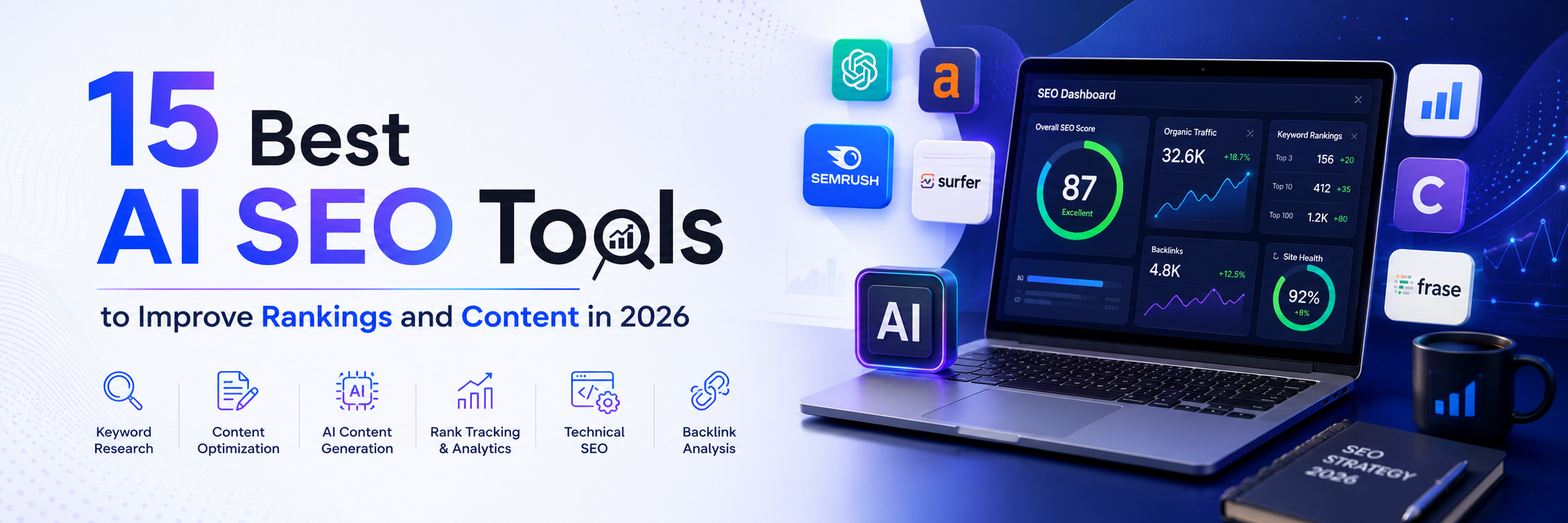
This guide evaluates 15 of the best AI SEO tools available in 2026 based on practical use cases, core features, pricing structure, ease of use, and overall value for businesses, agencies, and in-house SEO professionals.

How We Evaluated These Tools

We assessed each tool against a consistent set of criteria rather than ranking by popularity alone:

  • Ease of use – how quickly a new user can get value from the interface
  • Keyword research capabilities – depth of search volume, intent, and clustering data
  • Content optimization features – how well the tool helps content match what’s already ranking
  • Technical SEO functionality – crawling, auditing, and issue detection
  • AI writing quality – coherence, factual reliability, and how much editing output needs
  • Reporting and analytics – how easily data becomes a client-ready or stakeholder-ready report
  • Integrations – compatibility with Google Search Console, Analytics, WordPress, and CRM platforms
  • Pricing and value – what you get relative to what you pay, not just the lowest sticker price
  • Customer support – responsiveness and quality of documentation
  • Suitable user types – who each tool actually fits best

Pricing for every tool below changes frequently as vendors adjust tiers and usage limits, so treat the figures here as a general guide and confirm current pricing directly on each vendor’s site before you budget against it.

What Are AI SEO Tools?

Definition and How They Differ From Traditional SEO Software

An AI SEO tool uses machine learning or generative AI – typically large language models – to perform tasks that traditional SEO software required a human to do manually: interpreting search intent, drafting content, spotting patterns across large datasets, or summarizing a technical audit into next steps. Traditional SEO software (think early-generation rank trackers or keyword databases) mostly organizes and displays data; AI SEO tools go a step further and generate recommendations, drafts, or prioritized actions from that data.

AI has become close to essential in modern SEO because the sheer volume of content, competitors, and search variations involved in any real campaign now exceeds what a team can process manually in a reasonable timeframe – especially with search itself increasingly mediated by AI-generated answers rather than a simple list of blue links.

How AI Is Changing SEO

  • Faster keyword research – clustering thousands of keyword variations by intent in seconds rather than hours
  • Content planning – generating briefs and outlines based on what’s already ranking for a topic
  • Content optimization – scoring drafts against competitor content and suggesting semantic gaps
  • Technical SEO improvements – prioritizing crawl and indexing issues by likely impact
  • Reporting automation – pulling performance data into client-ready dashboards without manual exports
  • Competitor analysis – surfacing content gaps and keyword opportunities competitors already own

Who Should Use AI SEO Tools?

  • SEO agencies managing multiple client accounts
  • Digital marketers running integrated campaigns
  • Content creators and bloggers
  • Small businesses without a dedicated SEO hire
  • Ecommerce stores managing large product catalogs
  • Enterprise marketing teams coordinating across departments

Benefits of Using AI SEO Tools

Save time on repetitive SEO tasks. Tasks like generating meta descriptions, clustering keywords, or auditing hundreds of URLs are exactly the kind of repetitive, pattern-based work AI handles well, freeing your team for strategy and judgment calls.

Improve keyword research. AI models are better than manual review at surfacing search intent, related keyword clusters, and content gaps you might not have thought to search for directly.

Create better content. AI tools assist with outlines, on-page optimization, readability improvements, and checking that a draft covers the topic as thoroughly as top-ranking competitors.

Strengthen technical SEO. AI-assisted crawlers can flag indexing problems, broken links, and site health issues, then prioritize them by likely traffic or ranking impact instead of listing everything with equal weight.

Enhance reporting and analytics. AI simplifies pulling performance data into a narrative summary, which matters as much for internal stakeholder buy-in as it does for client reporting.

Best AI SEO Tools in 2026

1. ChatGPT

Best for SEO Research and Content Planning

ChatGPT isn’t a dedicated SEO platform, but it’s become a default first step in most SEO workflows – for brainstorming topic clusters, drafting outlines, summarizing competitor content, and explaining technical concepts to clients or junior team members.

  • Key features: Conversational research and drafting, custom GPTs for repeatable workflows, web browsing for current information, file upload and analysis
  • Advantages: Extremely flexible, fast for early-stage ideation, useful across the entire content workflow rather than one narrow task
  • Limitations: No built-in SEO data (search volume, rankings, backlinks) – it needs to be paired with a dedicated SEO tool for that; outputs need fact-checking before publishing
  • Pricing: Free tier available; paid plans unlock higher usage limits and more advanced models
  • Best suited for: Every user type, as a research and drafting companion rather than a standalone SEO suite
  • Our take: Use it to accelerate the thinking stage of SEO – outlines, angle ideas, competitor summaries – but verify every statistic and claim before it goes into published content.

2. Semrush AI Toolkit

Best for Comprehensive SEO Campaigns

Semrush has layered AI features across its existing suite rather than launching a standalone product, which means AI-assisted keyword research, content optimization, and search visibility insights sit inside the same platform you’d already use for rank tracking and site audits.

  • Key features: AI-assisted keyword research and clustering, competitor gap analysis, content optimization scoring, AI-generated search visibility insights, reporting dashboards
  • Advantages: One platform covers research, optimization, and reporting, reducing tool-switching for agencies managing full campaigns
  • Limitations: Pricing scales quickly for agencies managing multiple client accounts; the breadth of features has a learning curve
  • Pricing: Tiered monthly plans, with higher tiers required for multi-project agency use
  • Best suited for: Agencies and in-house teams running full-service SEO campaigns
  • Our take: Strong default choice if you want one platform rather than stitching together several point solutions.

3. Ahrefs

Best for Keyword Research and Backlink Analysis

Ahrefs remains one of the most trusted sources of backlink and keyword data in the industry, and its AI-assisted features (Content Gap analysis, AI writing assistance, brand monitoring) sit on top of what is still primarily a best-in-class data platform.

  • Key features: Site Explorer, backlink analysis, Content Gap analysis, AI content assistance, brand mention monitoring
  • Advantages: Exceptionally reliable backlink index, strong keyword data across multiple search engines
  • Limitations: AI writing and content features are secondary to its core data tools, not the main draw
  • Pricing: Tiered plans based on usage limits and number of projects
  • Best suited for: SEOs who prioritize data accuracy for backlink and competitive research
  • Our take: If you only need one tool for link and keyword data, this is usually it – the AI layer is a bonus, not the reason to buy it.

4. Surfer SEO

Best for Content Optimization

Surfer’s Content Editor is built specifically around the moment a writer sits down to draft or revise a page, scoring the draft in real time against what’s already ranking for the target keyword.

  • Key features: Content Editor with live scoring, NLP-based keyword and entity recommendations, internal linking suggestions, SERP analyzer
  • Advantages: Genuinely useful for writers who aren’t SEO specialists – it translates ranking-factor data into plain-language suggestions
  • Limitations: Scores can be over-optimized for if used mechanically rather than as a guide; works best combined with genuine subject-matter expertise
  • Pricing: Tiered monthly plans based on the number of content pieces and audits included
  • Best suited for: Content teams and writers who need optimization guidance without deep SEO training
  • Our take: Effective as a content quality checkpoint, but don’t let the score become the goal – search intent and originality still matter more.

5. Frase

Best for AI Content Briefs

Frase focuses on the brief-writing stage: analyzing the current SERP for a target keyword and generating an outline, along with FAQ suggestions pulled from “People Also Ask” and related searches.

  • Key features: SERP analysis, AI-generated content outlines, on-page optimization scoring, automatic FAQ generation
  • Advantages: Speeds up the brief-writing process significantly for content teams working with freelance writers
  • Limitations: Best used as a starting point – briefs still benefit from a human editor adding strategic direction
  • Pricing: Tiered plans based on number of documents and SERP analyses per month
  • Best suited for: Content teams and agencies that outsource writing and need consistent, data-backed briefs
  • Our take: A practical time-saver specifically for the brief stage of content production.

6. Clearscope

Best for Enterprise Content Optimization

Clearscope is a premium content optimization tool built for larger content teams, offering content grading against semantic keyword targets and integrations that fit into enterprise editorial workflows.

  • Key features: Content grading, semantic keyword recommendations, Google Docs and WordPress integrations, team collaboration features
  • Advantages: Clean, editor-friendly interface; strong semantic recommendations
  • Limitations: Priced at a premium relative to comparable tools, which can be hard to justify for small teams or solo bloggers
  • Pricing: Positioned toward the higher end of the content optimization category
  • Best suited for: Enterprise content teams and agencies managing high content volume
  • Our take: Worth the investment if content production is a core, ongoing function rather than an occasional task.

7. Jasper AI

Best for Marketing Content Creation

Jasper is built primarily as a marketing content generator rather than an SEO-first tool, with brand voice customization and templates spanning blog posts, ad copy, and social content, plus SEO integrations for keyword-aware drafting.

  • Key features: Long-form blog writing, marketing copy templates, brand voice training, SEO mode integrations with tools like Surfer
  • Advantages: Strong for teams that need consistent brand voice across a high volume of marketing content, not just blog posts
  • Limitations: SEO capability is secondary to its content generation focus – pair it with a dedicated optimization tool
  • Pricing: Tiered plans based on word volume and number of seats
  • Best suited for: Marketing teams producing content across multiple channels, not exclusively blog SEO
  • Our take: A strong drafting engine when brand voice consistency matters as much as search performance.

8. MarketMuse

Best for Building Topical Authority

MarketMuse takes a wider view than page-by-page optimization, modeling your entire content inventory against a topic to identify gaps and prioritize what to write next in order to build genuine topical authority.

  • Key features: Topic modeling, content inventory analysis, content planning recommendations, competitive content gap detection
  • Advantages: Strategic rather than tactical – useful for planning a content roadmap, not just optimizing one article
  • Limitations: Steeper learning curve than single-article optimization tools; better suited to teams thinking in content clusters
  • Pricing: Tiered plans, with more advanced planning features on higher tiers
  • Best suited for: Content strategists and teams building out pillar-and-cluster content structures
  • Our take: A useful planning layer sitting above the tools that optimize individual pages.

9. Writesonic

Best for AI-Assisted Content Production

Writesonic pairs SEO-focused article generation with a broader suite of marketing content tools and a built-in AI chatbot feature, aiming to be a one-stop content production platform.

  • Key features: SEO article generation, AI chatbot builder, marketing copy templates, content optimization scoring
  • Advantages: Broad feature set at a generally accessible price point compared to enterprise-tier competitors
  • Limitations: Output quality can be inconsistent across content types and still needs editorial review
  • Pricing: Tiered plans based on word count and feature access
  • Best suited for: Small businesses and solo marketers needing a lower-cost, all-in-one content tool
  • Our take: A reasonable starting point for teams without budget for multiple specialized tools, provided output is edited before publishing.

10. Alli AI

Best for Automated SEO Optimization

Alli AI focuses on technical and on-page SEO automation, allowing changes like meta tags, header structure, and internal links to be implemented in bulk across a site without manually editing individual pages.

  • Key features: Technical SEO automation, on-page optimization at scale, bulk implementation of changes, A/B testing of SEO changes
  • Advantages: Genuinely useful for large sites where manual page-by-page edits aren’t practical
  • Limitations: Automated bulk changes carry real risk if not reviewed carefully – this is a tool that rewards SEO experience, not a beginner-friendly starting point
  • Pricing: Tiered plans generally scaled to site size
  • Best suited for: Larger sites and experienced SEO teams comfortable reviewing automated changes before they go live
  • Our take: Powerful, but treat every bulk change as something to review, not something to set and forget.

11. Rank Math AI

Best for WordPress SEO

Rank Math is one of the most widely used WordPress SEO plugins, and its AI Content Assistant layers AI-generated suggestions – titles, meta descriptions, schema recommendations – directly into the WordPress editor.

  • Key features: AI Content Assistant, schema markup recommendations, on-page SEO scoring, native WordPress integration
  • Advantages: Lives inside the CMS your content team already uses, reducing tool-switching for WordPress sites specifically
  • Limitations: WordPress-specific – not useful outside that ecosystem
  • Pricing: Free tier available; paid tiers unlock AI credits and advanced schema features
  • Best suited for: WordPress site owners and agencies managing WordPress client sites
  • Our take: An easy add if you’re already on WordPress and want AI suggestions without leaving the editor.

12. SE Ranking

Best for Small Businesses and Agencies

SE Ranking positions itself as a more budget-friendly alternative to the larger all-in-one suites, covering keyword tracking, website audits, competitor analysis, and AI writing features in a single platform.

  • Key features: Keyword rank tracking, website audit tool, AI writing assistant, competitor analysis, white-label reporting
  • Advantages: Lower cost of entry than comparable all-in-one platforms, with white-label reporting useful for agencies
  • Limitations: Data depth (particularly backlink index size) generally trails category leaders like Ahrefs and Semrush
  • Pricing: Tiered plans, generally positioned below Semrush and Ahrefs on cost
  • Best suited for: Small businesses and smaller agencies that need solid coverage without enterprise pricing
  • Our take: A sensible middle-ground choice for teams that find Semrush or Ahrefs pricing hard to justify.

13. Screaming Frog SEO Spider

Best for Technical SEO Audits

Screaming Frog remains a category staple for technical audits – a desktop crawler that surfaces broken links, redirect chains, duplicate content, and indexing issues, now with AI-assisted analysis layered into recent versions.

  • Key features: Full website crawling, technical issue detection, AI-assisted analysis features, flexible data export
  • Advantages: Extremely thorough at the technical layer; the export flexibility makes it easy to build custom reports
  • Limitations: Interface is data-dense and better suited to technically confident users than beginners
  • Pricing: Free tier for smaller crawls; paid license required for larger sites and full feature access
  • Best suited for: Technical SEOs and developers running in-depth site audits
  • Our take: Still one of the most reliable tools for technical audits – the AI additions are a helpful bonus, not the core value.

14. Google Search Console

Best Free SEO Performance Tool

Google Search Console remains the most authoritative – and free – source of how Google actually sees and ranks your site, and it’s increasingly the tool teams use to understand how AI Overviews are affecting click-through rates on their own pages.

  • Key features: Search performance reporting, index coverage monitoring, Core Web Vitals data, integration into most AI SEO workflow tools
  • Advantages: Free, direct from Google, and the ground-truth source most other tools pull data from or reconcile against
  • Limitations: Limited historical data window and no competitor data – it only shows your own site
  • Pricing: Free
  • Best suited for: Every website owner, regardless of budget or team size
  • Our take: Non-negotiable. Every other tool on this list should be checked against what Search Console actually reports.

15. Whatagraph

Best for AI SEO Reporting

Whatagraph focuses on the reporting layer rather than research or content, pulling data from multiple marketing platforms into automated dashboards designed for client and stakeholder reporting.

  • Key features: Cross-platform marketing dashboards, automated SEO reporting, agency client reporting templates, wide range of integrations
  • Advantages: Saves significant manual reporting time for agencies managing several client accounts
  • Limitations: Not a research or optimization tool – it’s purely for visualizing and reporting data pulled from other sources
  • Pricing: Tiered plans generally based on number of connected data sources and reports
  • Best suited for: Agencies that need polished, automated client reporting
  • Our take: A strong finishing tool once your research and optimization stack is already in place.

How to Choose the Right AI SEO Tool

Consider your SEO goals. Choose based on whether your priority is content creation, technical SEO, keyword research, reporting, or full-service campaign management – few teams need all 15 tools above at once.

Evaluate your budget. Compare free and paid options with total cost of ownership in mind, not just the entry-level price, since usage limits often push real-world cost higher than the advertised starting tier.

Review available integrations. Prioritize tools that connect cleanly with Google Analytics, Google Search Console, your CMS (especially WordPress if that’s your platform), and your CRM.

Consider your team size. Freelancers generally do better with lighter, cheaper tools; agencies need multi-client and white-label features; enterprise teams need collaboration and permissions controls.

Prioritize ease of use. The most feature-rich tool isn’t the right choice if your team won’t actually use half of what it offers – match the tool to your team’s existing workflow and technical comfort.

Best Practices for Using AI SEO Tools

  • Combine AI with human expertise. AI accelerates research and drafting; strategic judgment about what to publish and why still needs a person.
  • Verify every AI-generated recommendation. Statistics, claims, and even keyword data can be wrong or outdated – check before publishing.
  • Focus on search intent, not just keyword density or optimization scores.
  • Add original experience and examples that no AI tool can generate on its own – this is what increasingly separates content that gets cited in AI Overviews from content that doesn’t.
  • Update existing content regularly rather than only focusing on new publication.
  • Monitor performance using analytics, not assumptions about what “should” be working.
  • Build topical authority by covering a subject thoroughly across multiple pieces, instead of targeting isolated keywords in one-off posts.

Common Mistakes to Avoid

  • Publishing AI content without human review – factual errors and generic phrasing are still common failure modes
  • Ignoring user intent in favor of chasing a keyword purely because it has volume
  • Overusing AI-generated content at the expense of original insight or first-hand experience
  • Forgetting technical SEO while focusing entirely on content tools
  • Neglecting content updates on older pages that are losing relevance or accuracy
  • Relying on a single SEO tool for research, optimization, technical audits, and reporting – most serious campaigns need at least two or three tools working together

AI SEO Tools and Google AI Overviews

What Are Google AI Overviews?

Google AI Overviews are AI-generated summaries, powered by Google’s Gemini models, that appear above traditional organic results for many searches. Rather than showing a plain list of links, Google synthesizes an answer from multiple sources and cites a handful of them alongside the summary. Google began rolling this out broadly in 2024, and by 2026 AI Overviews appear on a substantial share of search queries, particularly for informational, question-based searches.

How AI SEO Tools Support AI Search Optimization

Several tools above now report on AI Overview visibility specifically, tracking whether and how often your pages get cited in AI-generated answers, separately from traditional rankings. This matters because citation in an AI Overview doesn’t always correlate with a top-10 organic ranking – Google’s synthesis process favors the passage that best answers a specific sub-question over the page with the highest overall page authority.

Understanding Answer Engine Optimization (AEO)

Answer Engine Optimization refers to structuring content so that AI systems – Google AI Overviews, ChatGPT, Perplexity, and similar tools – can easily extract a clear, accurate answer from it. In practice, this means clear headings, direct answers early in a section, and well-marked FAQ or HowTo content that AI systems can parse cleanly.

Understanding Generative Engine Optimization (GEO)

Generative Engine Optimization is the broader discipline of optimizing for AI-generated search experiences as a category, not just Google’s implementation specifically – covering how content gets cited, summarized, or referenced across AI Overviews, AI chat assistants, and other generative search surfaces.

Why High-Quality, Experience-Based Content Matters

AI systems increasingly favor content that demonstrates genuine first-hand experience, clear expertise, and traceable authority – not because AI can detect “authenticity” directly, but because that kind of content tends to be more specific, more accurate, and more citable than generic, templated writing. This is exactly why E-E-A-T signals (author credentials, original data, transparent methodology) matter as much for AI search visibility as they do for traditional rankings.

Frequently Asked Questions

What are AI SEO tools? 

AI SEO tools use machine learning or generative AI to assist with tasks like keyword research, content optimization, technical audits, and reporting – automating and accelerating work that used to require entirely manual analysis.

Which AI SEO tool is best for beginners? 

Google Search Console (free, directly from Google) combined with an approachable content tool like Frase or Surfer SEO gives beginners a solid, low-cost starting point before investing in a full-suite platform.

What is the best AI SEO tool for agencies? 

Semrush AI Toolkit or Ahrefs both suit agencies managing multiple client campaigns end-to-end, while SE Ranking is a strong lower-cost alternative for smaller agencies.

Are free AI SEO tools worth using? 

Yes – Google Search Console is essential regardless of budget, and most paid platforms offer limited free tiers that are genuinely useful for testing fit before committing to a paid plan.

Can AI replace SEO professionals? 

No. AI tools speed up research, drafting, and reporting, but strategic decisions – what to prioritize, how to interpret ambiguous data, and how to build genuine expertise into content – still require human judgment.

Which AI SEO tool is best for technical SEO? 

Screaming Frog SEO Spider remains the category standard for in-depth technical audits, with Alli AI as an option for teams that also want automated bulk implementation of fixes.

Which AI SEO tool is best for content optimization?

Surfer SEO and Clearscope both specialize here – Surfer tends to suit smaller teams and individual writers, while Clearscope is built for higher-volume enterprise content operations.

Can AI SEO tools improve rankings in Google? 

They can improve the underlying quality and completeness of your content and technical setup, which supports rankings – but no tool guarantees a ranking improvement, since Google’s algorithm weighs many factors outside any single tool’s visibility.

Are AI SEO tools helpful for AI Overviews? 

Yes, several tools now track AI Overview citation specifically, and the broader practice of structuring content clearly (direct answers, FAQ schema, strong topical depth) that these tools encourage also improves your odds of being cited in AI-generated search results.

Conclusion

AI SEO tools can meaningfully improve productivity, content quality, technical health, and reporting – but only when paired with genuine strategic thinking. The tools above cover the full range of an SEO workflow, from ChatGPT’s flexibility in early research through Screaming Frog’s technical depth and Whatagraph’s reporting automation. Pick based on where your current workflow has the biggest gap, not based on which tool has the most features. The strongest results still come from combining AI’s speed with human expertise, original experience, and a clear strategy – not from AI running the show alone.

Have questions about building an AI-assisted SEO strategy for your business? Get in touch with Honeycomb’s SEO team for a consultation.

Continue Reading

Pharmaceutical companies do not sell like other businesses, and their websites should not be built like other websites either.

Between regulatory compliance, scientific accuracy, and audiences ranging from doctors and distributors to patients and investors, website design for pharmaceutical companies carries a level of complexity most general design agencies simply are not built to handle. Add in the fact that many pharma businesses operate across multiple countries, each with its own regulations, languages, and buyer expectations, and the stakes get even higher.

So, before you sign with anyone, here are the seven questions worth asking, especially if your company operates across more than one market.

1. Do You Understand Regional Regulatory and Compliance Requirements?

This is the single biggest difference between generic web design and website design for pharmaceutical companies. A website built for an Indian pharmaceutical brand needs to comply with CDSCO guidelines. One built for a US-facing audience needs to respect FDA advertising norms. A site serving the UK or EU needs to align with MHRA or EMA expectations.

A partner who does not ask about your regulatory landscape before touching a wireframe is not thinking about compliance at all, and that gap can turn into a serious liability later.

2. How Do You Handle Global Reach Without Losing Local Relevance?

Many pharma companies want one strong global brand presence, but a single one-size-fits-all site rarely performs well across different regions. A buyer in Mumbai and a buyer in Munich do not search the same way, trust the same signals, or read in the same language.

Ask your partner how they approach localisation, not just translation. Good pharma website design accounts for regional search behaviour, cultural tone, currency and unit differences, and even the kind of trust signals that matter in that specific market, whether that is regulatory badges, certifications, or local case studies.

3. Can You Design for Multiple Audiences on the Same Site?

A pharmaceutical website often has to speak to doctors, hospital procurement teams, patients, distributors, and investors, sometimes all in the same visit. That is a tall order, and it is where a lot of websites collapse into confusing, generic messaging that does not fully serve anyone.

The right partner will map out distinct pathways for each audience type within the same site architecture, so a physician looking for clinical data and a patient looking for reassurance both find what they need quickly, without wading through content meant for someone else.

4. What Is Your Approach to SEO for Pharmaceutical and Healthcare Companies?

Search visibility in the pharma and healthcare space is genuinely difficult. It is a heavily regulated, high-competition category, and search engines apply extra scrutiny to health-related content under their E-E-A-T guidelines (experience, expertise, authoritativeness, and trust).

Ask specifically how they plan to build organic visibility. Technical SEO, high-intent keyword targeting, and credible backlinks from healthcare and industry sources all matter here far more than they would for a typical business website.

We have seen this play out directly. On a recent healthcare technology project (a cloud-based platform serving doctors, clinics, hospitals, labs, and pharmacies), our team focused on exactly this kind of layered SEO strategy: optimising site structure and page speed, fixing crawl errors, targeting high-conversion keywords, and building domain authority through credible healthcare backlinks. The result was a 120 per cent increase in website traffic, more than 69,000 new visitors in six months, and over 60 qualified leads per month feeding directly into the sales pipeline. That is the kind of measurable outcome pharma and healthcare brands should be asking for, not vague promises about “better visibility.”

5. How Do You Balance Scientific Credibility With Readability?

Pharma content walks a fine line. It needs to be accurate enough to satisfy a regulatory reviewer and a medical professional, yet clear enough that a non-specialist visitor does not bounce off the page in confusion.

A design partner who understands this balance will not just make the site look clean. They will structure content in layers, using clear headlines and plain-language summaries up top, with deeper clinical or technical detail available for the audience that wants it. That kind of layered approach is a hallmark of good pharmaceutical website design, and it is genuinely hard to get right without healthcare-specific experience.

6. What Security and Data Privacy Measures Do You Build In?

Pharma websites frequently handle sensitive interactions, whether that is patient inquiry forms, healthcare provider logins, or clinical trial recruitment pages. Data privacy is not optional here, and depending on your markets, you may need to account for regulations like HIPAA, GDPR, or India’s DPDP Act.

Ask how the agency approaches secure hosting, form encryption, and compliant data handling from the ground up, rather than as something bolted on after launch.

7. Can You Show Measurable Results, Not Just a Portfolio?

Finally, ask for real numbers. Traffic growth, lead volume, click-through rates, and search rankings tell you far more than a visually impressive portfolio ever will. A strong website design partner should be able to walk you through actual outcomes from healthcare or life sciences work, including what strategy drove those results and why it worked.

In the healthcare technology project mentioned earlier, alongside the traffic and lead growth, our search ad campaigns delivered a 4.60 per cent click-through rate, well above typical industry benchmarks, by pairing precise keyword targeting with conversion-focused landing pages. That combination of organic and paid strategy is what separates agencies that understand healthcare-adjacent industries from those simply applying a generic playbook.

Bringing It All Together

Choosing the right partner for website design for pharmaceutical companies is not about finding the most attractive portfolio. It is about finding a team that understands regulatory nuance, respects the complexity of your different audiences, and can localise your brand for global markets without diluting it.

At Honeycomb Creative Support, we bring branding, web development, SEO, and digital marketing together under one roof, which means your pharma website is never designed in isolation. It is built to work with your compliance requirements, your regional strategy, and your growth goals from day one.

If you are currently evaluating partners, ask these seven questions first. The answers will tell you more than any portfolio ever could.

Frequently Asked Questions

1. Why does website design for pharmaceutical companies need a specialised approach?
Pharmaceutical websites must satisfy regulatory reviewers, medical professionals, and everyday patients simultaneously, often across multiple countries with varying compliance rules. A generalist agency without healthcare experience tends to miss these nuances, which can lead to messaging that is either too clinical for patients or too casual for regulators.

2. How long does it take to design a pharmaceutical company website?
Most pharma website projects take between eight and fourteen weeks, depending on the number of markets involved, how much regulatory review is required, and whether the site needs multilingual or region-specific versions. Global rollouts with multiple compliance checks naturally take longer.

3. Can one website serve both global and local pharma audiences effectively?
Yes, but only if it is planned that way from the start. This usually means a strong core brand structure combined with localised content, language, and trust signals for each region, rather than a single generic site translated word for word.

4. How important is SEO for pharmaceutical and healthcare websites?
Very important, and also genuinely difficult to get right. Search engines apply stricter scrutiny to health-related content, so pharma sites need strong technical SEO, credible backlinks, and content that clearly demonstrates expertise and trustworthiness to rank well.

5. What compliance factors should a pharma website account for?
This depends on your target markets, but common considerations include CDSCO guidelines in India, FDA advertising norms in the US, MHRA or EMA expectations in the UK and EU, and data privacy regulations like HIPAA, GDPR, or India’s DPDP Act for any forms or patient-facing features.

6. How do I know if a design agency actually understands the pharma or healthcare space?
Ask for measurable results from past healthcare or life sciences work, not just a portfolio. A partner with real experience should be able to speak fluently about compliance, multi-audience design, and SEO strategy specific to this industry, backed by actual traffic, lead, and ranking numbers.

About Honeycomb Creative Support

Honeycomb Creative Support is a full-service creative agency based in India, offering integrated branding, web design, digital marketing, and content solutions under one roof. We work with healthcare, pharma, and life sciences brands to build websites that are not just compliant and credible, but genuinely built to generate leads and grow visibility across global and local markets alike. If you are exploring a redesign or a new pharma website, we would be glad to walk you through what a results-driven approach could look like for your brand.

Continue Reading

Let’s be honest. Most IT companies do not have a website problem. They have a conversion problem that looks like a website problem.

You already have traffic. You already have a solid product. What you probably do not have is a site that turns a visitor’s curiosity into a booked demo, a filled form, or a signed contract. And that gap is usually the real reason founders and marketing heads start Googling for the best Web Design Company for IT Companies in the first place.

So, before we get into how to pick one, let’s talk about what you are actually picking for.

“Best” Should Mean “Converts,” Not “Looks Impressive”

A lot of website design pitches lead with portfolios, awards, and slick animations. Those things are fine, but they answer the wrong question. What actually matters is this: will this website help a stranger understand what you do, trust that you can deliver, and take the next step, all within about eight seconds of landing on the page?

IT buyers, whether it is a CTO evaluating a vendor, a founder sizing up a partner, or a marketing head comparing options, are busy, skeptical, and comparing you against two or three competitors in another browser tab. Your website is not a digital brochure. It is your best salesperson, working around the clock, with no coffee breaks and no bad days.

This is exactly why choosing the right web design company for IT companies matters so much. It is not a cosmetic decision. It is a growth decision.

What to Actually Look for in an IT Website Design Partner

Here is a practical checklist, built around ROI and lead generation rather than aesthetics alone.

1. Do they design for the buyer’s journey, not just the homepage?
IT sales cycles are rarely a single click. A CTO researching a vendor behaves differently from a founder browsing at midnight. A strong website design agency for IT companies maps out how each type of visitor moves through the site and builds pages, content, and calls to action specifically for that path.

2. Can they translate technical value into plain, persuasive language?
This is where a lot of generic agencies fall short. IT companies sell complex, often invisible value like uptime, security, and scalability. A partner who understands IT branding and web design together will know how to turn that complexity into simple, benefit-driven messaging that actually gets read.

3. Is site performance part of the design conversation, or an afterthought?
Slow load times quietly kill conversion rates. IT buyers in particular have low patience for a laggy, cluttered site because it undermines the exact credibility you are trying to build. Ask any agency how they approach responsive website design, mobile optimisation, and technical SEO before you ask them about colour palettes.

4. Do they design for lead capture, not just brand presence?
A beautiful site with no clear, low-friction way to book a call or request a demo is a missed opportunity. The best IT company website development partners build conversion paths directly into the layout, not as an afterthought form buried in the footer.

5. Will they still be around after launch?
Websites are living assets, not one-time projects. They need testing, updates, and iteration based on real user behaviour. A partner who disappears after handoff leaves you with a static site in a market that keeps moving.

6. Can they work across your full brand, not just the website?
Your website is one touchpoint among many. If your pitch decks, social presence, and printed materials say something different, you are diluting the same trust you are trying to build online. An integrated web design and digital marketing partner keeps that story consistent everywhere a prospect finds you.

The Mistake Most IT Companies Make When Choosing an Agency

They shop for price or portfolio first, and strategy last.

A cheap website is never actually cheap. It costs you in lost leads, in the hours your team spends managing scattered vendors for design, development, and marketing separately, and in the credibility gap of a site that does not match how far your company has actually come. The real cost of a website is not the invoice. It is the pipeline it fails to build.

This is why more founders and marketing leaders are searching specifically for a web design company for IT companies, rather than a generalist agency that treats every industry the same way. Tech buyers think differently, so your site needs to speak their language, load fast, and guide them toward a decision with confidence.

How Honeycomb Approaches This

At Honeycomb Creative Support, we treat every website as a growth engine, not a design exercise. Our process starts with understanding who you are trying to convert and what is currently stopping them, long before a single wireframe gets built.

Because branding, web development, and digital marketing all sit under one roof with us, your site is never designed in isolation. It is built to work together with your SEO strategy, your campaigns, and your broader brand identity, so a visitor gets the same clear, confident message whether they find you through a Google search, a LinkedIn post, or a printed brochure at a conference.

That kind of integrated, impact-driven design is what turns a website from a cost centre into one of your strongest lead generation channels, and it is exactly what we bring to every IT company we work with.

The Real Question to Ask Before You Sign With Anyone

Not “do I like this portfolio,” but “will this partner build me a site that makes selling easier six months from now?”

If the answer is not a confident yes, keep looking. And if you are actively comparing a web design company to IT companies right now, we would be glad to take a look at what your current site might be costing you in missed conversions.

Frequently Asked Questions

1. How long does it take to design and launch a website for an IT company?
Most IT company websites take between six and ten weeks from kickoff to launch, depending on the number of pages, how much content needs to be written, and whether custom development or integrations are involved. Simple redesigns can move faster, while enterprise sites with multiple product lines or client portals take longer.

2. How much does a good IT company website cost?
Costs vary depending on scope, but the more useful question is what a poor website is already costing you in lost leads and stalled deals. A properly built site pays for itself through better conversion rates, so it is worth evaluating cost against expected return rather than chasing the lowest quote.

3. Do we need a full redesign, or can our existing site be improved?
Not always. In many cases, targeted fixes to page speed, messaging clarity, and conversion paths can improve results without a ground-up rebuild. A good web design company for IT companies will audit your current site first and recommend the smallest change that delivers the biggest impact.

4. Will a new website actually help us generate more leads?
Yes, but only if lead generation is built into the design from day one. A site designed purely for aesthetics will not move your numbers. One designed around your buyer’s journey, with clear calls to action, fast load times, and strong UX, directly supports more form fills, demo requests, and sales conversations.

5. Should we hire separate vendors for design, development, and marketing?
You can, but it often creates more coordination work and inconsistent messaging across your brand. Working with an integrated partner who handles design, development, and digital marketing together keeps your website, campaigns, and brand story aligned, and usually gets you to results faster.

6. What should we look for when comparing website design companies for IT businesses?
Look past the portfolio and ask how they think about your buyer’s journey, how they handle site speed and technical SEO, and how they measure success after launch. A partner who talks about conversions and long-term performance, not just design, is the one built to help you grow.

Continue Reading

Ask most businesses why their website underperforms, and they will point to the design. It looks dated, it feels slow, it does not match the brand anymore. Rarely do they point to the real cause, which is usually a process problem, not a design problem. Somewhere along the way, someone skipped a step that should have come before the visual work even started.

A website is not a single deliverable. It is the output of several decisions made in the right order, and getting that order wrong is why so many redesigns end up looking better without performing any better. If you are exploring Web Design Services in Bangalore, understanding this process is the difference between hiring an agency that executes a brief and one that actually solves the underlying business problem.

Here is how we think about it at Honeycomb, broken into seven phases, each with a rule we hold ourselves to.

Phase 1: Business Discovery

Don’t design pages. Understand the business first.

Before any wireframe gets drawn, the real question is not “what should the homepage look like.” It is “what is this website actually supposed to achieve?” More qualified leads, faster sales conversations, better investor perception, easier recruitment? Each answer leads to a different structure, different priorities, and a different homepage entirely.

This is also where the most common mistake shows up. Companies often approach an agency saying “we need a website” when what they actually mean is “we need more enquiries” or “we need to look credible to a new market.” Those are very different briefs, and skipping this conversation is how businesses end up with a site that looks fine but does not move the needle.

Phase 2: User and Competitor Research

Know what your users need before deciding what they see.

Good web design decisions come from understanding two things: who is actually visiting your site, and what they are comparing you against. A B2B buyer researching a manufacturing partner behaves very differently from a patient researching a healthcare provider. Skipping this research means designing for an assumed user instead of a real one, which is how businesses end up with a beautiful site that nobody quite trusts.

Phase 3: Information Architecture

A confusing sitemap leads to confused customers.

This is the unglamorous phase that determines whether a visitor finds what they need in ten seconds or gives up after thirty. Information architecture, essentially deciding what goes where and how pages connect, rarely gets the attention it deserves, but it quietly shapes bounce rate, navigation clarity, and even SEO performance more than most visual decisions do.

Phase 4: Content Strategy

Design attracts visitors. Content convinces them.

This is the phase clients most often underestimate, and it is also the one most likely to cause delays, usually because content collection gets pushed to the last minute instead of planned early. Good content strategy decides messaging, structure, and tone before a single UI screen gets designed, not after. Content should shape the design, not get squeezed into a template built without it.

Phase 5: UI and Brand Experience

Every pixel should reinforce trust.

This is where visual identity, layout, and interaction design finally come in, and it is deliberately not the first phase. By this point, the structure and content already exist, so design has a clear job: reinforce the brand’s credibility and guide the visitor toward action, rather than simply look impressive in isolation. A visually stunning website that does not reflect brand positioning is decoration, not design.

Phase 6: Development and Performance

A beautiful website that loads slowly is poor.

No matter how strong the design, a slow, clunky build undoes it within seconds. Development in 2026 has to account for mobile-first performance, fast load speeds, clean code, and SEO fundamentals baked in from the start rather than patched on afterwards. This is also where AI tools genuinely help, speeding up coding and repetitive build tasks. What AI still cannot do is make strategic UX decisions or understand brand positioning, which is exactly why the earlier phases matter so much.

Phase 7: Launch, Learn, and Improve

A website launch isn’t the finish line; it’s the beginning.

Before launch, a proper checklist matters: SEO basics, speed optimization, mobile testing, working forms, analytics tracking, and SSL, at minimum. But the real work continues after launch. Tracking enquiries, conversion rate, and organic search visibility tells you what is actually working, and a website that never gets revisited after launch slowly drifts out of sync with the business it represents.

What Every Corporate Website Needs in 2026

A few non-negotiables have become standard rather than optional: mobile-first design, fast page speed, clear case studies or proof points, and direct enquiry paths like WhatsApp or simple contact forms. Equally important is knowing what to avoid. Over-animation, autoplay video, and trendy layouts that prioritize novelty over usability tend to hurt conversion more than they help first impressions.

A Belief Worth Sitting With

Most websites do not fail during design. They fail before design even begins, when the business questions in phase one never get properly answered. A gorgeous website built on an unclear brief is still a website that will underperform, just more expensively.

A Word on Honeycomb

Honeycomb offers Web Design Services in Bangalore alongside branding, UX design, content, and SEO under one roof, which means these seven phases happen as one connected process rather than a handoff between disconnected vendors. That continuity is often what separates a website that merely looks good from one that actually performs.

Getting It Right the First Time

A website redesign done properly is not a quick fix, and treating it like one is usually why redesigns need redoing within a year or two. The businesses that get the most out of their website are the ones that respect the sequence: understand the business, understand the user, structure the content, then design around all of it.

If your current website was built backwards, starting with design before strategy, it is worth finding out exactly where the gaps are before your next redesign. Get a free website performance audit from Honeycomb and see how each of these seven phases is actually holding up on your site today.

FAQs

1. What are the 7 phases of web design?
Business discovery, user and competitor research, information architecture, content strategy, UI and brand experience, development and performance, and launch with ongoing improvement.

2. Why does business discovery come before design in web design services in Bangalore?
Because design decisions should follow business goals, not the other way around. Understanding what the website needs to achieve shapes every decision that follows, from structure to content to visual design.

3. Which phase of web design do businesses usually underestimate?
Content strategy. Many businesses assume content can be written after the design is finished, which usually leads to rushed copy squeezed into a template it was never planned for.

4. How long does a typical corporate website project take?
It depends on scope, but a well-planned project usually takes six to ten weeks, covering discovery, content, design, and development in sequence rather than in a parallel scramble.

5. Does SEO get added after the website is built?
It shouldn’t. SEO fundamentals, from site structure to page speed to metadata, work best when planned from the information architecture phase onward, not patched in right before launch.

6. What should I look for in a web design agency in Bangalore?
Look for a process that starts with business and user research, not just a design portfolio. An agency that can also support branding, content, and SEO under one roof tends to deliver more consistent results.

Continue Reading

For IT companies, a website is more than an online presence. It is a reflection of technical expertise, innovation, and business credibility. In a highly competitive technology landscape, potential clients often evaluate an IT company’s capabilities before initiating a conversation. They look at the website to understand services, expertise, industry experience, and whether the company can solve their business challenges. 

This makes choosing the right Website Design Company for IT Companies a strategic decision. An effective IT website should not only look modern. It should clearly communicate complex solutions, support lead generation, provide a seamless user experience, and represent the company’s technical capabilities. The right design partner understands that IT websites need a balance between creativity, functionality, and performance. Here are the key features businesses should look for when selecting a website design partner.

1. Strong Understanding of IT Industry Requirements

IT companies often offer complex services such as software development, cloud solutions, cybersecurity, artificial intelligence, automation, and enterprise technology solutions. The challenge is explaining these offerings in a way that decision-makers can easily understand. A reliable Website Design Company for IT Companies should understand:

  • Technical service structures
  • B2B buyer journeys
  • Enterprise decision-making processes
  • Industry-specific messaging

The website should simplify complex solutions without making them sound generic. Good design helps potential clients quickly understand what the company does, who it serves, and why they should choose it.

2. Clear Information Architecture

IT websites often contain a large amount of information. Multiple services, industries served, case studies, resources, and technical capabilities need to be organized properly. A strong website structure includes:

  • Logical navigation
  • Clear service categories
  • Easy-to-find information
  • Strong internal linking
  • Defined user journeys

When visitors can easily find relevant information, they are more likely to engage with the business. A confusing website creates unnecessary friction, especially for potential clients researching solutions during the early stages of decision-making.

3. Modern UI/UX Design

Technology companies are expected to deliver modern experiences. An outdated or difficult-to-use website can negatively impact how prospects perceive the company’s capabilities. A professional website should focus on:

  • Clean layouts
  • Responsive design
  • Intuitive navigation
  • Fast interactions
  • Mobile compatibility

The user experience should feel effortless across devices. A website for an IT company should demonstrate the same attention to detail it promises its customers.

4. Strong Content Presentation

For IT companies, content plays a major role in building credibility. Potential customers want to understand expertise before making contact. An effective website should highlight:

  • Technical expertise
  • Case studies
  • Client success stories
  • Industry solutions
  • Thought leadership content

The goal is to communicate authority without overwhelming visitors with unnecessary technical jargon. A good website translates technical knowledge into business value.

5. SEO-Friendly Website Structure

A visually impressive website is valuable, but it needs to be discoverable. Modern Website Development for IT Firms should include SEO-friendly foundations such as:

  • Optimized page structures
  • Fast loading speeds
  • Mobile responsiveness
  • Search-friendly content organization
  • Technical SEO implementation

This helps IT companies attract relevant traffic from businesses actively searching for technology solutions. SEO should not be treated as an afterthought. It should be considered during the design and development process itself.

6. Scalability for Future Growth

Technology companies evolve quickly. New services are added, industries expand, and business requirements change over time. A website should be built with scalability in mind. A strong website development approach allows businesses to integrate:

  • New service pages
  • Resource sections
  • Case studies
  • Marketing campaigns
  • Automation tools
  • Customer portals

The website should support business growth instead of requiring frequent complete redesigns.

7. Integration Capabilities

IT companies often rely on multiple digital tools for operations and marketing. A capable website should support integrations with:

  • CRM platforms
  • Analytics tools
  • Marketing automation systems
  • Chat solutions
  • Third-party applications

Professional Website Development for IT Firms focuses on creating websites that work efficiently within existing business ecosystems. The website should not operate as an isolated asset. It should become part of the company’s overall digital infrastructure.

8. Performance and Security

For technology businesses, website performance directly influences credibility. Visitors expect fast, secure, and reliable digital experiences. Important considerations include:

  • Optimized performance
  • Secure hosting
  • Data protection practices
  • Regular maintenance support

A slow or unreliable website can create doubts about a company’s technical capabilities.

Conclusion

Choosing the right Website Design Company for IT Companies requires looking beyond visual design. IT businesses need websites that communicate expertise, create trust, generate leads, and support long-term growth.

The right partner combines strategic thinking, user-focused design, technical development, and industry understanding to create a website that represents the company effectively.

With the right approach to Website Development for IT Firms, an IT company’s website becomes more than a digital profile.

It becomes a powerful business tool that helps attract clients, showcase expertise, and build credibility in an increasingly competitive technology market.

Contact Us: 

Call us: 90352 90915

Mail us: vani@honeycombindia.net 

Find us: No. 29, 3rd Cross, Venkata Reddy Layout, 6th Block, Koramangala,

Bengaluru – 560 095

Continue Reading

The healthcare industry is becoming increasingly digital. Patients now search online for doctors, clinics, hospitals, and healthcare services before making appointments. As a result, a healthcare website is no longer just an online presence it has become an essential patient engagement and trust-building tool.

In 2026, healthcare organizations need websites that are secure, user-friendly, informative, and designed around patient needs. This is why many hospitals, clinics, and healthcare providers work with a professional healthcare website design company or a specialized healthcare web development company to create modern digital experiences.

Here are the top features every healthcare website should have in 2026.

Online Appointment Booking

Patients expect convenience. One of the most important features of a modern healthcare website is an easy-to-use online appointment booking system.

A good booking platform should allow patients to:

  • schedule appointments online
  • choose preferred doctors
  • select available time slots
  • receive appointment confirmations
  • get automated reminders

This reduces administrative workload while improving patient satisfaction.

Mobile-First Design

Most patients access healthcare websites through smartphones. Whether they are searching for a nearby clinic, checking doctor availability, or booking an appointment, mobile usability is essential.

A professional healthcare website design company ensures the website is:

  • fully responsive
  • easy to navigate on mobile devices
  • fast-loading
  • optimized for touch interactions

A poor mobile experience can cause patients to leave the website and choose another provider.

Doctor Profiles and Specializations

Patients want to know who will be providing their care.

Healthcare websites should include detailed doctor profiles featuring:

  • qualifications
  • experience
  • specializations
  • certifications
  • consultation timings
  • professional photographs

Comprehensive doctor profiles help build trust and make it easier for patients to choose the right healthcare professional.

Telemedicine Integration

Virtual consultations continue to grow in popularity.

Healthcare websites in 2026 should support telemedicine services, allowing patients to:

  • book virtual appointments
  • attend video consultations
  • access digital prescriptions
  • communicate with healthcare providers remotely

A modern healthcare web development company can integrate secure telehealth features that improve accessibility and convenience.

Patient Portal Access

Patient portals have become an important part of healthcare delivery.

A secure portal allows patients to:

  • view medical records
  • access test results
  • download prescriptions
  • track treatment history
  • communicate with healthcare providers

These features improve patient engagement and reduce dependency on manual administrative processes.

Fast and Secure Performance

Healthcare websites handle sensitive information and must prioritize security.

Key requirements include:

  • SSL certificates
  • secure data storage
  • HIPAA-compliant practices where applicable
  • secure login systems
  • regular security updates

A trusted healthcare website design company ensures both performance and security remain top priorities.

Educational Health Content

Patients often search for health-related information before seeking treatment.

Healthcare websites should include:

  • blogs
  • treatment guides
  • FAQs
  • wellness resources
  • preventive care information

Educational content helps establish authority, improve search visibility, and build patient trust.

Easy Contact and Emergency Information

Visitors should be able to quickly find:

  • phone numbers
  • emergency contact details
  • clinic addresses
  • Google Maps integration
  • email information

For healthcare providers, accessibility is critical. Contact information should be visible across the website.

Patient Reviews and Testimonials

Trust plays a major role in healthcare decisions.

Displaying genuine patient testimonials and reviews can help:

  • improve credibility
  • reduce patient hesitation
  • showcase positive treatment experiences

These trust signals often influence appointment decisions.

SEO and Local Search Optimization

Patients frequently search for healthcare services using location-based queries.

A modern healthcare web development company should build websites with SEO best practices, including:

  • local search optimization
  • fast page speed
  • structured content
  • schema markup
  • optimized service pages

This helps healthcare providers attract more qualified traffic and improve online visibility.

Final Thoughts

Healthcare websites in 2026 must go beyond basic information pages. They need to provide seamless patient experiences, secure communication, easy appointment management, and valuable health resources.

By partnering with an experienced healthcare website design company or a specialized healthcare web development company, healthcare providers can create websites that improve patient trust, increase engagement, and support long-term growth.

A successful healthcare website is not just a digital platform; it is an extension of the patient care experience.

Continue Reading

Generating high-quality leads is one of the biggest priorities for B2B businesses. Unlike B2C purchases, B2B buying decisions often involve multiple stakeholders, longer sales cycles, and extensive research before a prospect becomes a customer. This is why businesses need more than just advertisements and sales calls to attract and convert potential clients.

One of the most effective tools in the B2B sales process is Marketing Collateral. From company profiles and case studies to presentations and product brochures, marketing collateral helps educate prospects, build trust, and move leads through the sales funnel.

In today’s competitive market, strong marketing collateral is no longer optional, it is a critical component of successful B2B lead generation.

What Is Marketing Collateral?

Marketing Collateral refers to the materials businesses use to communicate their products, services, expertise, and value proposition to potential customers.

Common examples include:

  • company profiles
  • product brochures
  • case studies
  • presentations
  • whitepapers
  • ebooks
  • sales sheets
  • email marketing assets
  • landing pages
  • videos

Each piece of collateral serves a specific purpose in helping prospects understand the business and make informed decisions.

Builds Credibility and Trust

Trust plays a major role in B2B purchasing decisions. Before engaging with a supplier or service provider, prospects want evidence that the company is experienced, reliable, and capable of delivering results.

Well-designed Marketing Collateral Design Agency helps establish credibility by showcasing:

  • company expertise
  • industry experience
  • client success stories
  • certifications
  • achievements
  • customer testimonials

When prospects see proof of success, they are more likely to engage with the business.

Educates Prospects During the Buying Journey

B2B buyers often spend significant time researching solutions before speaking with a sales representative.

Marketing collateral helps answer questions and educate prospects about:

  • products and services
  • business benefits
  • technical capabilities
  • industry solutions
  • implementation processes

For example, a case study can demonstrate how a company solved a client’s challenge, while a whitepaper can provide deeper insights into industry problems and solutions.

This educational approach helps build confidence and positions the business as an expert in its field.

Supports Lead Nurturing Efforts

Not every lead is ready to buy immediately. Many prospects require multiple interactions before making a decision.

This is where Marketing Collateral becomes valuable for lead nurturing.

Businesses can use:

  • email content
  • downloadable guides
  • webinars
  • presentations
  • case studies

to stay connected with prospects and provide ongoing value throughout the decision-making process.

Consistent communication keeps the business top-of-mind and helps move leads closer to conversion.

Helps Sales Teams Close Deals Faster

Sales teams often need materials that support conversations with potential clients.

Effective marketing collateral can help sales representatives:

  • explain complex solutions
  • address objections
  • demonstrate expertise
  • present business value
  • share success stories

A strong company profile or case study often reinforces what the sales team communicates during meetings.

This alignment between marketing and sales can significantly improve conversion rates.

Improves Lead Quality

High-quality Marketing Collateral attracts more qualified prospects by clearly communicating who the business serves and what it offers.

When potential customers understand your solutions before contacting your team, inquiries tend to be more relevant and conversion-ready.

This helps businesses spend less time filtering unqualified leads and more time focusing on serious opportunities.

Supports Multiple Marketing Channels

Marketing collateral can be used across various lead generation channels, including:

  • websites
  • email campaigns
  • LinkedIn marketing
  • trade shows
  • webinars
  • sales presentations
  • digital advertising

This makes it a long-term business asset that continues to generate value across different campaigns and customer touchpoints.

Final Thoughts

In B2B marketing, generating leads is not just about attracting attention, it is about building trust and helping prospects make informed decisions.

Effective Marketing Collateral plays a crucial role in this process by educating buyers, supporting sales conversations, nurturing leads, and strengthening brand credibility.

Whether it is a company profile, case study, presentation, or whitepaper, the right collateral can significantly improve lead generation efforts and help businesses convert more prospects into long-term customers.

For B2B companies, marketing collateral is more than just promotional material. It is a strategic tool that drives engagement, trust, and business growth.

Continue Reading

Discover how Website Design for Pharmaceutical Companies influences trust, credibility, and digital presence. Learn why the best pharma website design helps brands communicate expertise, improve user experience, and build stronger relationships.

In the pharmaceutical industry, trust is not just a brand advantage. It is a necessity. Patients, healthcare professionals, distributors, and partners make decisions based on credibility, transparency, and confidence. Before contacting a pharmaceutical company, many stakeholders first visit its website to understand its expertise, products, research capabilities, and reliability. This makes a company’s website more than a digital brochure. It becomes an important trust-building platform.

A poorly designed website can create uncertainty, even for companies with strong products and years of industry experience. On the other hand, thoughtful Website Design for Pharmaceutical Companies can communicate professionalism, accuracy, and confidence from the first interaction.

In an industry where reputation directly influences business relationships, website design plays a much bigger role than aesthetics alone.

First Impressions Influence Brand Credibility

A website is often the first point of interaction between a pharmaceutical brand and its audience. Visitors immediately form opinions based on:

  • Website structure
  • Visual quality
  • Ease of navigation
  • Content clarity
  • Overall professionalism

An outdated or confusing website can unintentionally create doubts about a company’s credibility and attention to detail. Pharmaceutical companies operate in a space where precision matters. The same expectation applies to their digital presence. A professional website should reflect the same level of reliability and quality that customers associate with healthcare products and services.

Clear Information Builds Confidence

Pharmaceutical websites often need to communicate complex information. This may include:

  • Product details
  • Research capabilities
  • Manufacturing processes
  • Certifications
  • Regulatory information
  • Clinical expertise

The challenge is presenting this information in a way that is accurate but easy to understand. Effective Website Design for Pharmaceutical Companies focuses on organizing information clearly through logical navigation, structured content, and user-friendly layouts. When visitors can quickly find relevant information, confidence increases. A website that creates confusion forces users to search elsewhere, which is rarely the outcome a brand wants.

Professional Design Reflects Quality Standards

In pharmaceuticals, perception and quality are closely connected. A clean, modern, and professional website signals that a company values accuracy and reliability. The best pharma website design focuses on:

  • Consistent branding
  • Professional visual elements
  • Strong content hierarchy
  • Easy accessibility
  • Mobile responsiveness

These elements help communicate that the company operates with discipline and maintains high standards. Good design does not make claims about quality. It creates an experience that supports those claims.

Security and Transparency Strengthen Trust

Pharmaceutical websites often handle sensitive business interactions and information. Whether users are accessing product information, submitting inquiries, or exploring partnerships, they expect secure and reliable digital experiences. A trustworthy pharmaceutical website should prioritize:

  • Secure browsing
  • Clear contact information
  • Updated company details
  • Transparent documentation
  • Reliable performance

These details may seem small, but they contribute significantly to how users evaluate a brand. Trust is usually built through many small signals working together.

Better User Experience Supports Stronger Relationships

Different audiences visit pharmaceutical websites with different goals. A doctor may be looking for scientific information. A distributor may want partnership details. A potential employee may be exploring the company culture. A strong website experience ensures that each visitor can easily access relevant information. The best pharma website design considers different user journeys and creates pathways that guide visitors naturally. This improves engagement while reducing frustration.

SEO and Digital Visibility Depend on Good Design

A visually appealing website is valuable, but discoverability matters too. Search engines increasingly prioritize websites that offer:

  • Fast loading speeds
  • Mobile-friendly experiences
  • Well-structured content
  • Clear navigation
  • Helpful information

Good website design supports stronger SEO performance by making content easier for both users and search engines to understand. For pharmaceutical brands competing in digital spaces, visibility and credibility go hand in hand.

The Role of Modern Pharma Website Design

Today’s pharmaceutical companies are competing in a more digital-first environment. A website is no longer just a place to display company information. It is a platform for building trust, educating audiences, generating business opportunities, and strengthening brand reputation. The best pharma website design combines industry understanding with modern digital practices. It balances scientific accuracy with human-centered communication, ensuring that complex healthcare information feels accessible and trustworthy.

Conclusion

For pharmaceutical brands, website design is directly connected to trust. A well-designed website communicates professionalism, transparency, and reliability before any direct conversation takes place. It helps stakeholders understand the company better and creates confidence in its capabilities. Investing in strategic Website Design for Pharmaceutical Companies is not simply about improving appearance. It is about creating a digital experience that reflects the quality, credibility, and responsibility expected from the healthcare industry. Because in pharma, trust is not built after the first conversation. Often, it begins with the first click.

Continue Reading

A manufacturing website is no longer just an online brochure. In 2026, it serves as a digital sales representative, helping potential customers evaluate your capabilities, products, certifications, and expertise before they ever contact your team.

Whether you serve industrial clients, OEMs, exporters, or distributors, your website plays a critical role in building trust and generating enquiries. That is why investing in effective website design for manufacturing companies has become essential for business growth.

Here are the best website design practices manufacturing businesses should follow to improve visibility, credibility, and lead generation.

Prioritize Clear Value Proposition

When visitors land on your website, they should immediately understand:

  • What products do you manufacture
  • Which industries do you serve
  • What makes your company different
  • Why customers should choose you

Many manufacturing websites use generic phrases like “leading manufacturer” or “trusted industry partner.” Instead, clearly communicate your specialization, capabilities, and unique strengths.

Good web design for manufacturing companies focuses on clarity before creativity.

Showcase Products and Capabilities Clearly

Manufacturing buyers visit your website to evaluate whether you can meet their requirements.

Your website should include:

  • detailed product pages
  • technical specifications
  • manufacturing capabilities
  • production capacity information
  • quality certifications
  • application examples

Avoid forcing visitors to search for basic information. Make it easy for them to understand exactly what your company offers.

Use High-Quality Images and Videos

Visual content plays a major role in industrial marketing.

Professional photos and videos can showcase:

  • manufacturing facilities
  • production processes
  • machinery and equipment
  • quality control procedures
  • completed products

A strong visual presentation helps build credibility and gives potential clients confidence in your capabilities.

Modern website design for manufacturing companies should include videos, facility tours, and product demonstrations whenever possible.

Create Industry-Specific Pages

Manufacturing companies often serve multiple industries, such as:

  • automotive
  • aerospace
  • healthcare
  • construction
  • energy
  • electronics

Instead of having one generic services page, create dedicated industry pages that explain how your products or solutions address specific customer needs.

This improves both user experience and search engine visibility.

Make Contact Information Easy to Find

One of the biggest mistakes manufacturing websites make is hiding enquiry options.

Your website should include:

  • contact forms
  • phone numbers
  • email addresses
  • location details
  • request-a-quote buttons

These elements should be visible throughout the website, not just on the contact page.

Effective web design for manufacturing companies focuses on converting visitors into enquiries.

Optimize for Mobile Devices

Many industrial buyers research suppliers using mobile devices before moving to desktop evaluations.

A mobile-friendly website should offer:

  • fast loading speeds
  • responsive layouts
  • readable content
  • easy navigation
  • accessible contact forms

Poor mobile experiences can result in lost opportunities and lower search rankings.

Build Trust Through Certifications and Case Studies

Manufacturing decisions often involve significant investments. Buyers want reassurance before contacting a supplier.

Include trust-building elements such as:

  • ISO certifications
  • quality standards
  • industry approvals
  • customer testimonials
  • project case studies
  • client logos

These signals help establish credibility and demonstrate experience.

Focus on Website Speed and Performance

A slow website can frustrate visitors and negatively affect search rankings.

Modern website design for manufacturing companies should prioritize:

  • optimized images
  • fast-loading pages
  • clean code structure
  • reliable hosting

Website speed directly impacts user experience and leads generation.

Invest in SEO-Friendly Structure

A great website is ineffective if potential customers cannot find it.

Your manufacturing website should include:

  • keyword-optimized content
  • clear page hierarchy
  • structured headings
  • internal linking
  • technical SEO best practices

This helps improve visibility on search engines and attract qualified traffic.

Final Thoughts

Manufacturing buyers today conduct extensive online research before contacting suppliers. Your website often becomes the first opportunity to demonstrate expertise, quality, and professionalism.

By following these best practices for website design for manufacturing companies, businesses can create websites that not only look professional but also generate enquiries, build trust, and support long-term growth.

The most successful manufacturing websites are not simply attractive; they are designed to inform, engage, and convert potential customers into valuable business opportunities.

Contact Us: 

Call Us: +91 90352 90915 

Mail Us: vani@honeycombindia.net 

Location: No. 29, 3rd Cross, Venkata Reddy Layout, 6th Block, Koramangala,

Bengaluru – 560 095.

Continue Reading

One of the first questions businesses ask before starting a website project is simple:

“How long will it take to build?”

The answer, however, is not as straightforward as a fixed number. A website is not just a collection of pages placed online. It involves strategy, planning, user experience, design, content, development, testing, and optimization. The timeline depends on factors such as website complexity, business goals, number of pages, required features, and the level of customization involved. A professional Web Design Company in Bangalore typically follows a structured process to ensure that the final website is not only visually appealing but also functional, scalable, and aligned with business objectives. While timelines vary, understanding the different stages of website design can help businesses set realistic expectations.

Average Website Design Timeline

For most business websites, a typical website design project can take anywhere between 6 to 12 weeks. However, the timeline can differ based on the type of website:

  • Basic business website: 4 to 8 weeks
  • Custom corporate website: 8 to 16 weeks
  • E-commerce website: 12 to 20+ weeks
  • Complex platforms or web applications: Several months

A smaller website with limited pages may move quickly, while a larger website requiring custom functionality naturally requires more planning and development time. The goal should not be to build the website as quickly as possible. It should be to create a website that delivers long-term value.

Stage 1: Discovery and Strategy (1-2 Weeks)

The first stage is understanding the business. Before designing anything, a Website Design Agency typically focuses on:

  • Understanding business goals
  • Identifying target audiences
  • Reviewing competitors
  • Defining website structure
  • Planning user journeys

This stage is often underestimated, but it forms the foundation of the entire project. A website designed without strategic clarity may look impressive but fail to generate meaningful results. Good websites are not created by starting with colors and layouts. They are created by understanding what the business needs the website to achieve.

Stage 2: Design and User Experience Planning (2-4 Weeks)

Once the strategy is clear, the design phase begins. This includes:

  • Wireframes
  • Page layouts
  • Visual direction
  • User interface design
  • Responsive design planning

A professional Web Design Company in Bangalore focuses on creating experiences that are easy to navigate and intuitive for users. The design process involves balancing aesthetics with functionality. A beautiful website that confuses visitors is not successful. The internet already has enough mysterious buttons and unnecessary clicks. The focus should always remain on helping users find information quickly and take action easily.

Stage 3: Development and Integration (3-8 Weeks)

After design approval, the development stage begins. Developers transform approved designs into a fully functional website. This stage may include:

  • Front-end development
  • Content management systems
  • Database integration
  • Third-party tools
  • Forms and automation
  • E-commerce functionality

The complexity of these requirements directly affects the timeline. A standard company website may require fewer development hours, while websites with advanced features need additional testing and refinement.

Stage 4: Content Addition and Optimization (1-3 Weeks)

Content plays an important role in website success. This includes:

  • Website copy
  • Images
  • Videos
  • Product information
  • SEO elements

A website should not only look good but also communicate clearly and perform well in search engines. Many delays occur because the content is not prepared on time. Design and development teams can build the structure, but they cannot magically invent accurate business information from thin air. Even technology has limits, sadly.

Stage 5: Testing and Launch (1-2 Weeks)

Before launching, the website goes through quality checks. Testing usually covers:

  • Mobile responsiveness
  • Browser compatibility
  • Page speed
  • Forms and functionality
  • User experience issues
  • Security checks

A reliable Website Design Agency ensures that the website performs smoothly before it becomes available to customers. Launching too early can create problems that affect credibility and user experience.

Factors That Can Affect Website Timeline

Several factors influence how quickly a website project moves forward:

  1. Project Scope – More pages, features, and integrations require more time.
  2. Feedback Speed – Delayed approvals can slow down the entire process.
  3. Content Availability – Missing content often creates unnecessary delays.
  4. Level of Customization – Custom designs and features require more development effort than templates.
  5. Collaboration Between Teams – Clear communication between the business and agency helps maintain momentum.

Conclusion

A website design project usually takes anywhere from a few weeks to several months, depending on its complexity and requirements.

The right Web Design Company in Bangalore focuses on creating a website that supports business goals rather than simply delivering a website quickly.

A successful website requires strategic planning, thoughtful design, technical expertise, and careful execution.

Because a website is not just a digital presence. It is often the first interaction customers have with your business. And first impressions, inconveniently for everyone, still matter.

Continue Reading